

This section describes the procedure to create a new key to the Microsoft DKE Cloud.
To create a new key
-
Click the Manage Keys icon to view keys list available in the cloud instance.
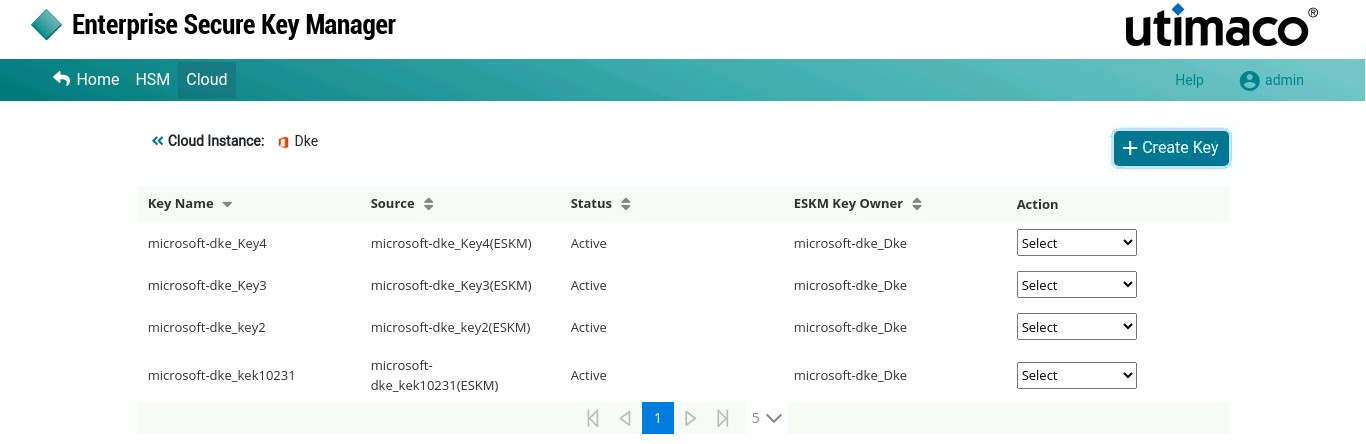
Keys List
-
Click +Create Key button at the top right corner of the page.
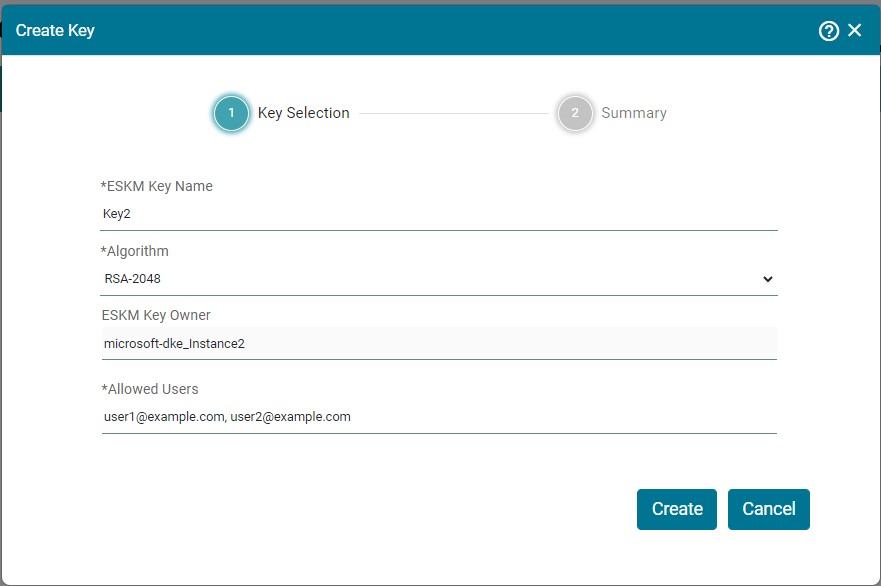
Create Key
-
Fill up the necessary details and the click Create.
-
Now, you will be navigated to the Summary section. Review Summary and click Close.
|
Parameters |
Description |
|---|---|
|
ESKM Key Name |
Name of the key |
|
Algorithm |
Algorithm used to create the key. Only RSA-2048 is supported currently. |
|
ESKM Key Owner |
Microsoft DKE instance name is the key owner. |
|
Allowed Users |
Users who are allowed to use this key for DKE. |
Create Key - Parameters