

-
Right-click on Enterprise Admins on the right pane from Active Directory users and Computers, and select Properties.
-
Select the Members tab and then select Add.
-
Enter the NDESAdmin account, select Check Names, and if found then select OK.
-
Select Apply and OK.
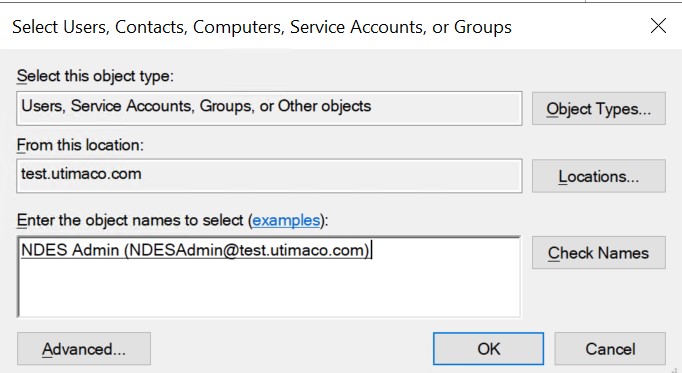
Select Users, Contacts, Computers, Service Accounts, or Groups Window
-
Repeat the above steps for the Domain Admins group.
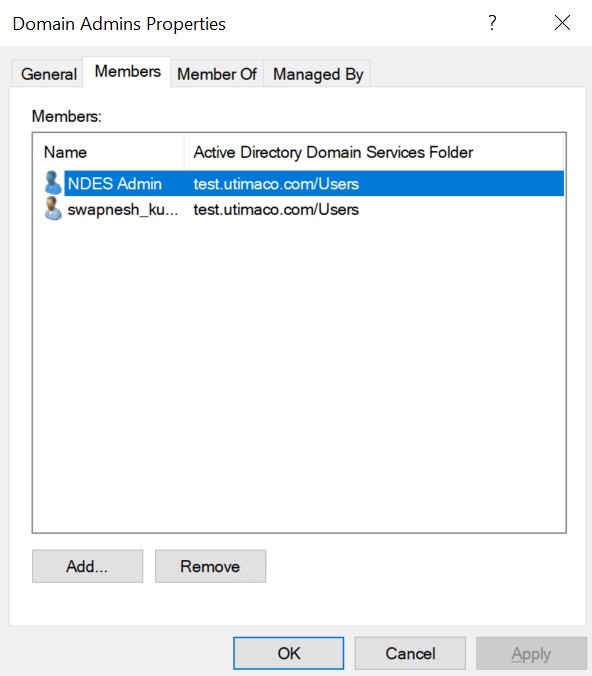
Domain Admin Properties Window