

-
Log into the CA server using the domain account.
-
On the Server Manager window Select Certification Authority from the Tools menu.
-
Right-click the certification authority, and then select Properties.
-
Click on Security tab.
-
Click on Add button.
-
On the Select Users, Computers, Service Accounts, or Groups text box, type the name of the NDESAdmin account, select Check Names, and if found then select OK.
-
Select the NDESAdmin account and click on the Allow check box to Request Certificates. Select Apply and then select OK.
-
Repeat the above steps to add the NDESService account.
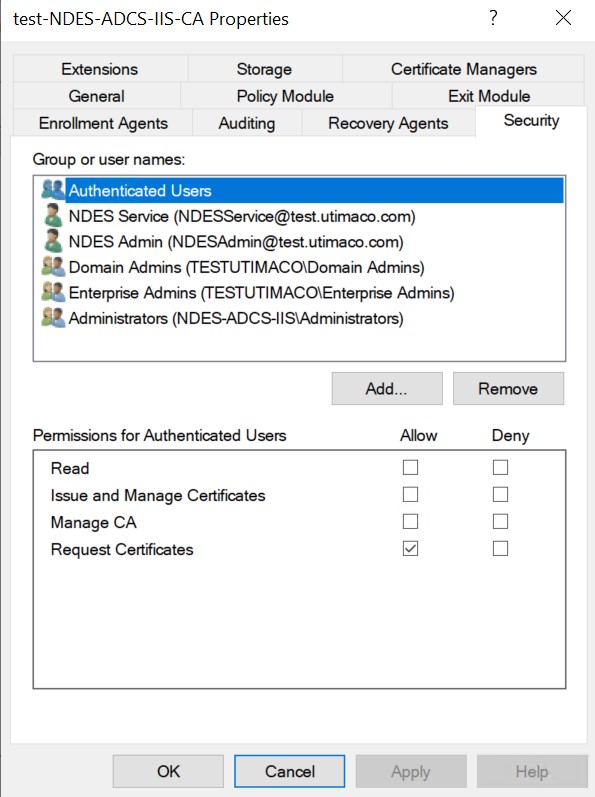
test-NDES-ADCS-IIS-CA Properties Window