

-
Login to the Domain Controller with Domain Administrator account.
-
Open Active Directory Users and Computers from the Server Manager Tools menu.
-
For demonstration purpose create three user accounts NDESAdmin, NDESService, NDESDeviceAdmin.
-
Click <domain_name>.com to expand, then right-click on Users and select New > User.
-
Enter the name NDESAdmin and select Next.
-
Set a strong password.
-
Check Password Never expires option.
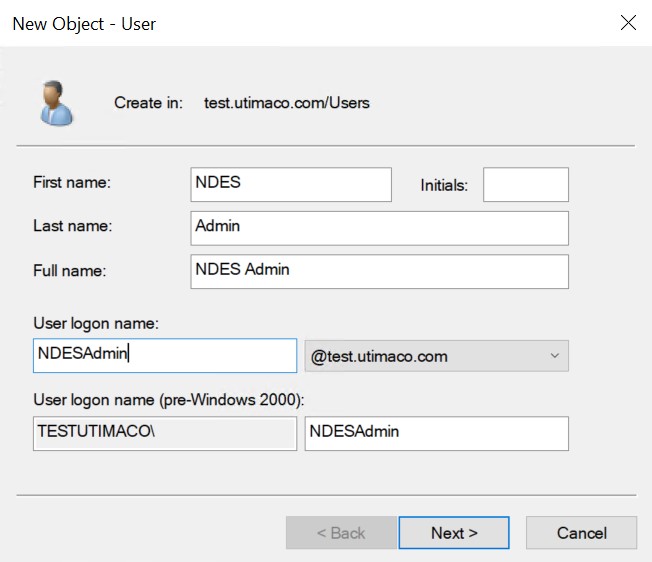
New Object - User Window
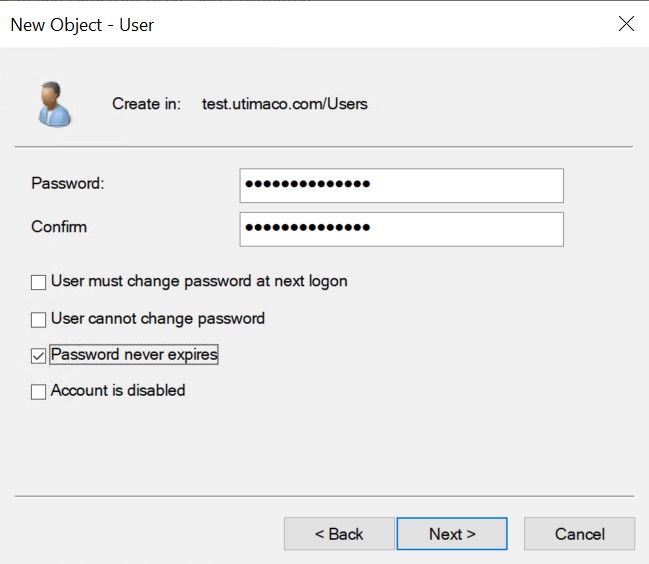
New Object - User Window
-
By repeating the previous steps create new users for NDESService and NDESDeviceAdmin.
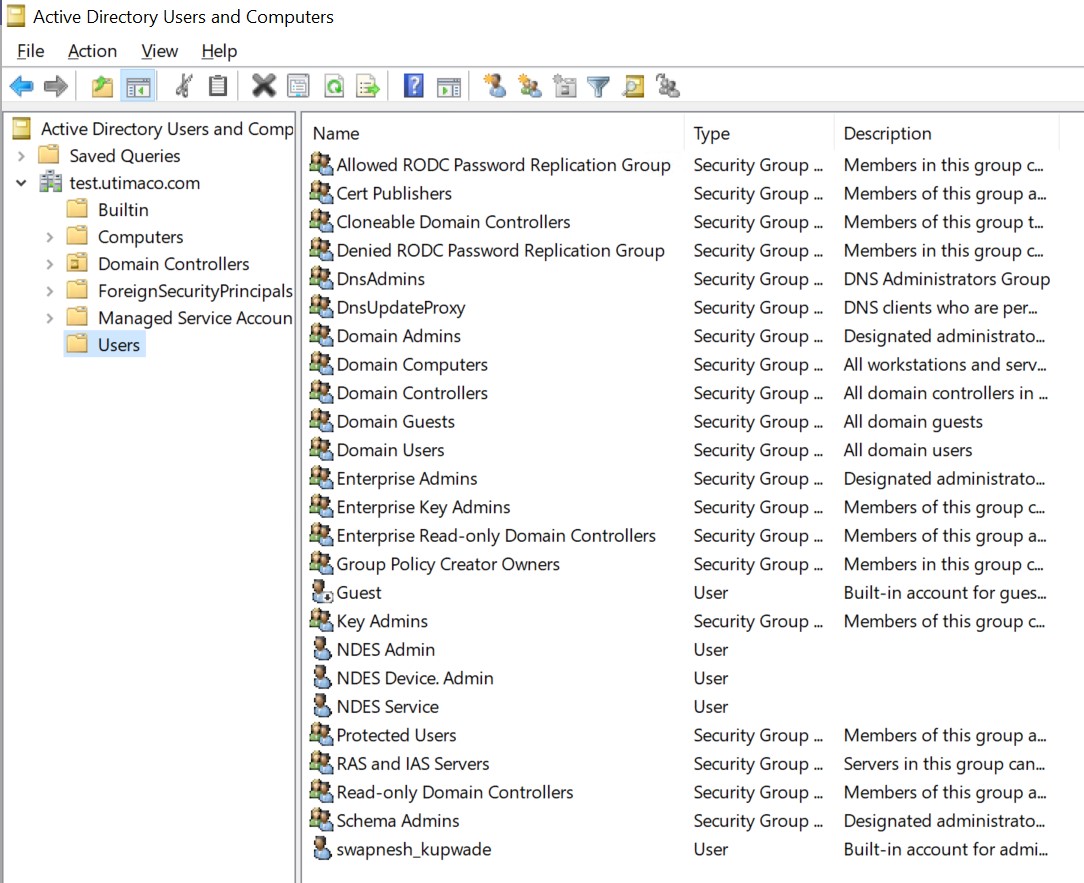
Active Directory Users and Computers Window