Generating a Subordinate CA Key and Certificate

  1. Generate a Subordinate CA key pair using p11tool2.

›_ Console

# p11tool2 slot=<Slot_No.> LoginUser=<ask> PubKeyAttr=CKA_LABEL=Subca 

PrvKeyAttr=CKA_LABEL=Subca GenerateKeyPair=RSA 
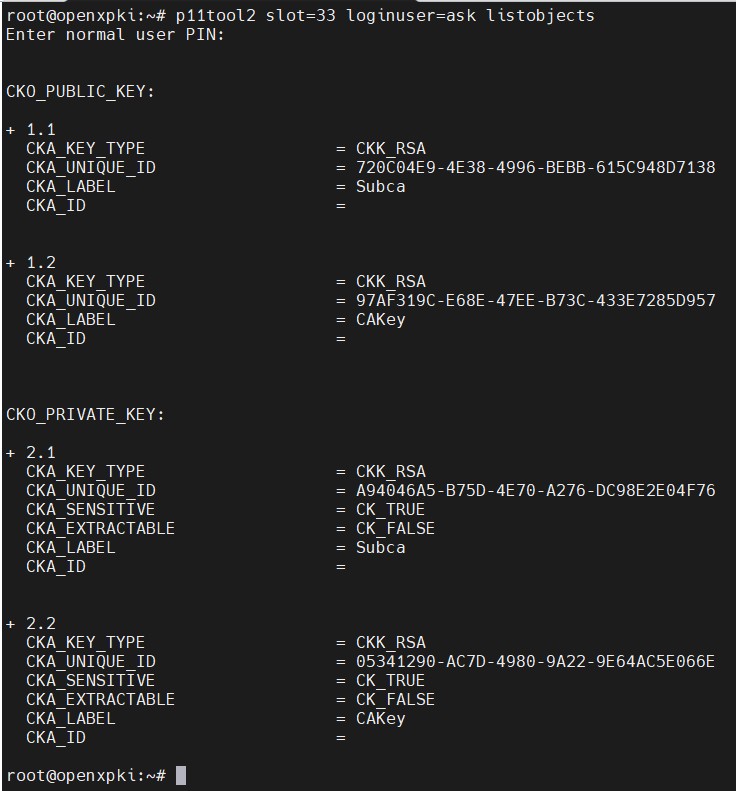
  1. Verify that the keys are generated onto the HSM using the following command.

›_ Console

# p11tool2 slot=<Slot_No.> loginUser=<ask> listobjects 
image-3286073405-1.jpg

List keys

  1. Generate a certificate request for Subordinate CA.

›_ Console

# openssl req -engine pkcs11 -reqexts v3_ca_reqexts -batch -new -key 

"pkcs11:token=openxpki;object=Subca" -keyform engine -out SubCA.csr -subj 

"/C=DE/O=OpenXPKI/OU=PKI/CN=OpenXPKI Demo Issuing CA 20230926" 
image-3286073405-2.jpg

Subordinate CA CSR generation

Here openxpki is the token label and Subca is the key on the HSM. Provide Slot PIN when prompted.

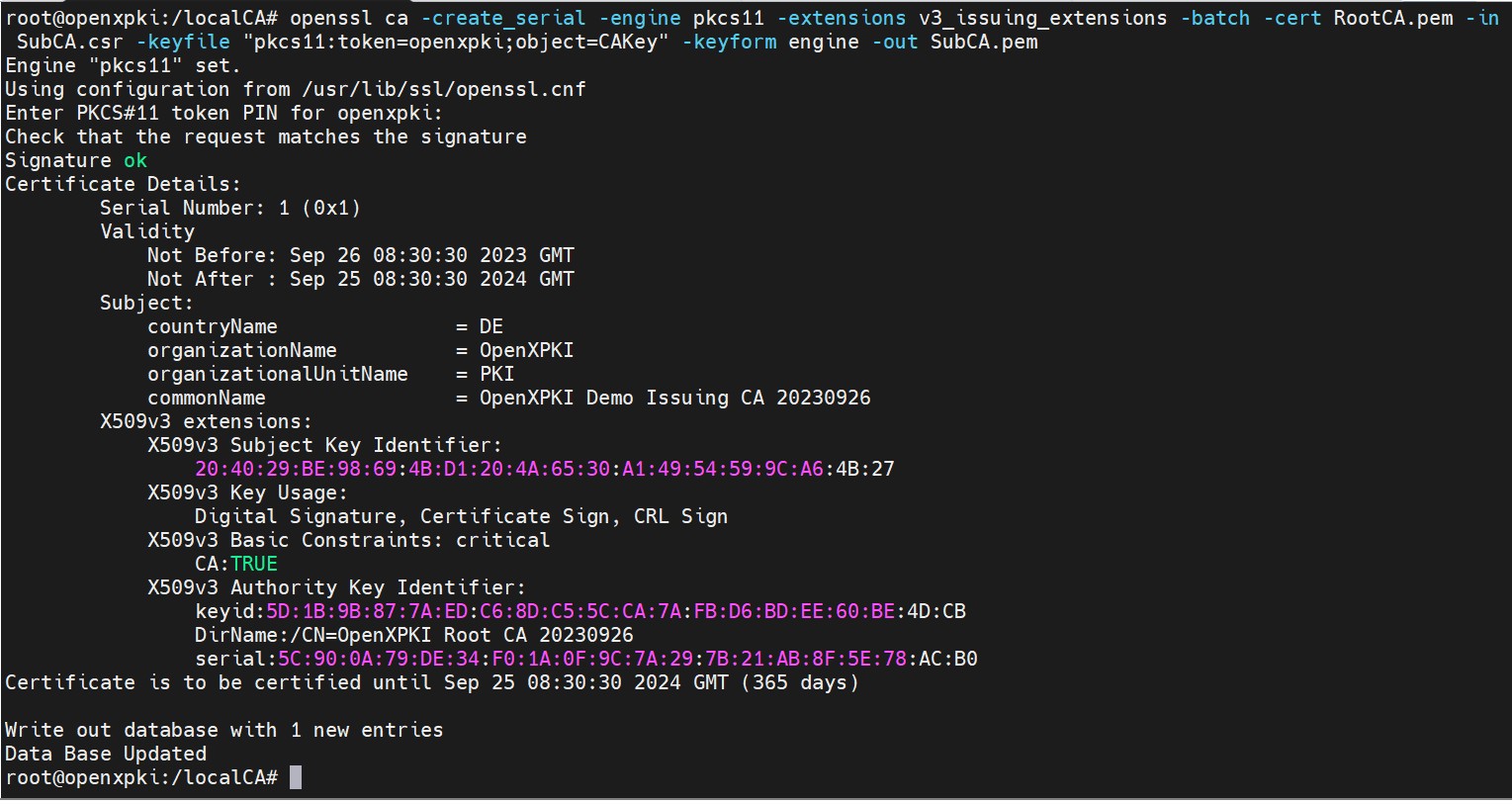
  1. Sign the certificate request for Subordinate CA by Root CA.

›_ Console

# openssl ca -create_serial -engine pkcs11 -extensions v3_issuing_extensions batch -cert RootCA.pem -in SubCA.csr -keyfile 

"pkcs11:token=openxpki;object=CAKey" -keyform engine -out SubCA.pem 
image-3286073405-3.jpg

SubCA CSR signing