

-
Copy the PKCS#11 library
libcs_pkcs11_R3.soto the SAP Sybase ASE library folder/opt/sap/ASE-16_1/lib/. -
Copy the PKCS#11 config file
cs_pkcs11_R3.cfgto the SAP Sybase ASE home library/opt/sap/config/. -
Update the PKCS#11 config file
cs_pkcs11_R3.cfg. -
Update the environment variables in
SYBASE.shfor the u.trust GP HSM Se-Series. Add the environment variable for PKCS#11 R3 library and config file.
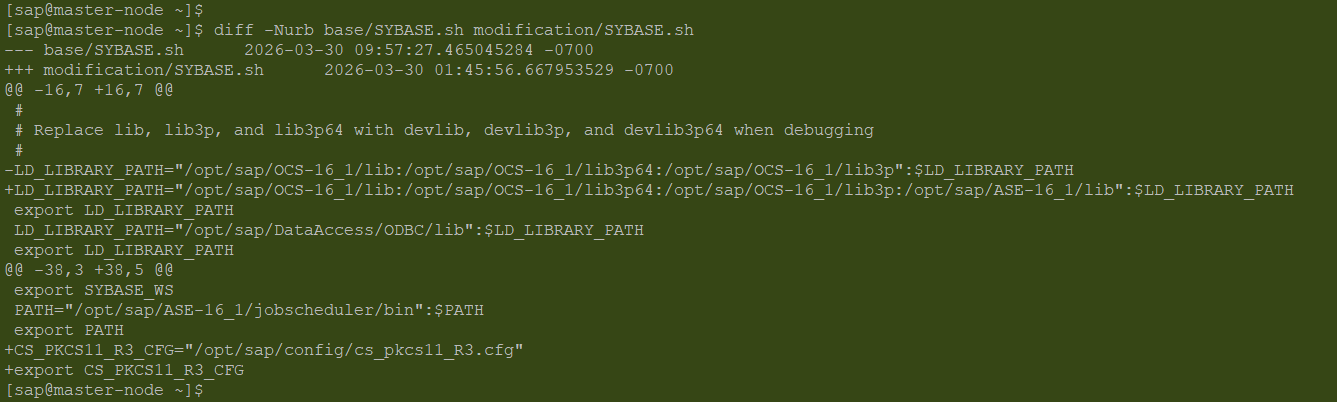
Add Environment Variables in SYBASE.sh
-
Include the SYBASE.sh execution in '.bash_profile'.
# Load SAP Sybase ASE environment automatically

if [ -f "$HOME/SYBASE.sh" ]; then
    . "$HOME/SYBASE.sh"
fi
-
Update the environment variables in RUN_SAP01 and RUN_SAP01_BS for the u.trust GP HSM Se-Series. Both files should have same changes as per the below screenshot. Both files are available in
/ASE-16_1/install/RUN_SAP01and/ASE-16_1/install/RUN_SAP01/RUN_SAP01_BS.
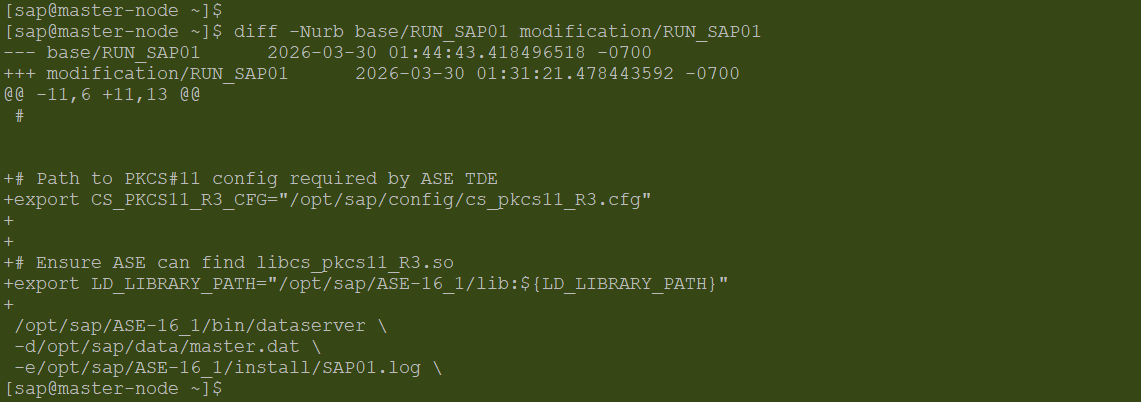
RUN_SAP01 Changes
-
Shutdown the ASE server then restart the ASE server using
startserver.
1> shutdown
2> go
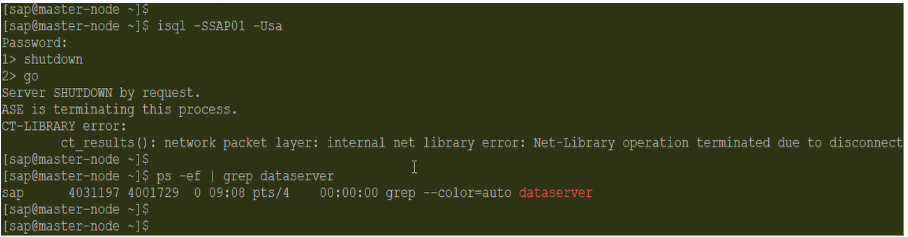
ASE Server Shutdown
$cd ASE-16_1/install/
$/opt/sap/ASE-16_1/bin/startserver -f RUN_SAP01
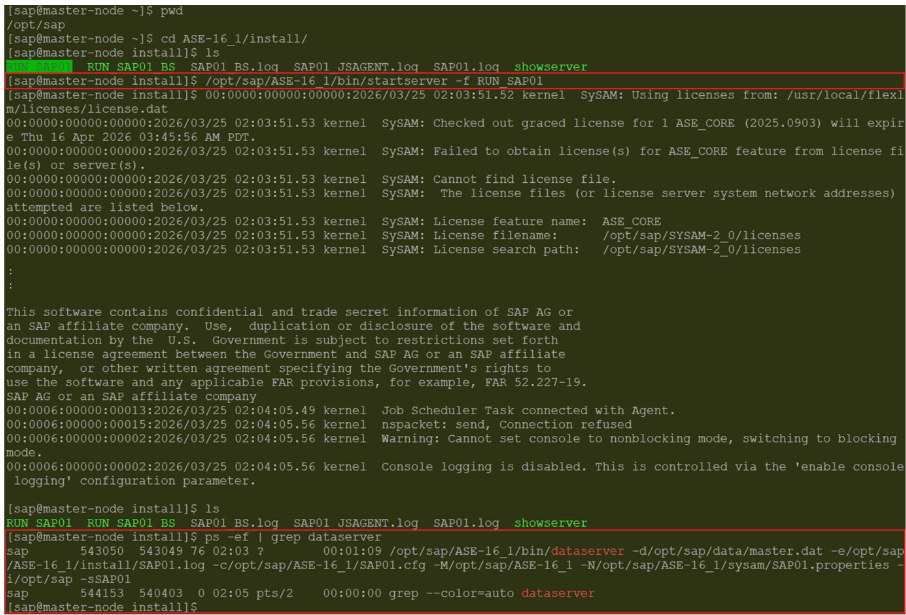
Start ASE Server