

-
Create a PowerShell script file with the name
Export_Certificate.ps1at the appropriate location, and add the following content into the script file.
# Get the certificate
#$SelfCertificate = Get-ChildItem -Path Cert:\CurrentUser\My\ |
$SelfCertificate = Get-ChildItem -Path Cert:\LocalMachine\My\ |
Where-Object { $_.Subject -eq "CN=Authenticode Certificate" }

# Export the Self Signed Certificate
Export-Certificate `
  -FilePath "C:\Authenticode\Authenticode_Certificate.cer" `
  -Cert $SelfCertificate
-
Launch PowerShell as Administrator, and run
Export_Certificate.ps1.
.\Export_Certificate.ps1
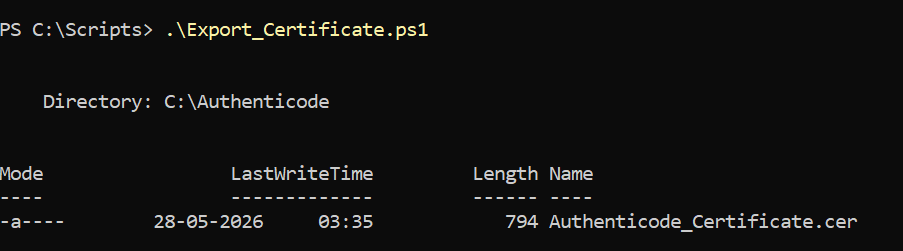
Exporting the certificate
-
To view the Properties, double-click on the exported certificate.
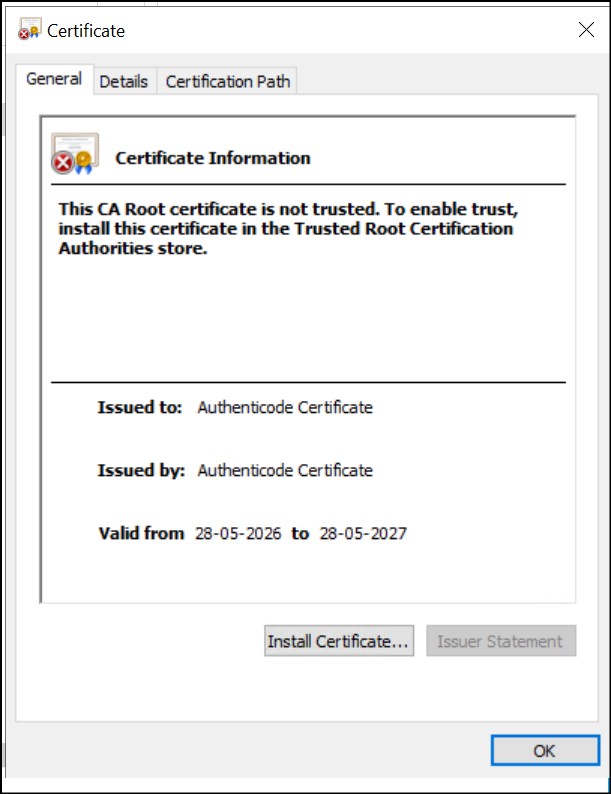
Exported certificate details