

-
In DNS Manager right click on Forward Lookup Zone and click on New Zone…
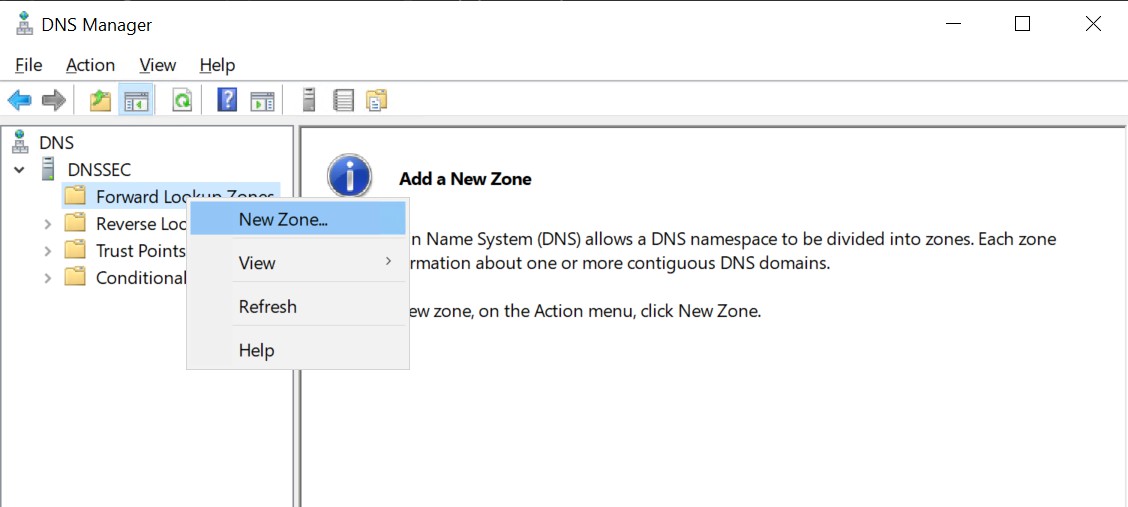
DNS manager
-
In New Zone Wizard click Next.
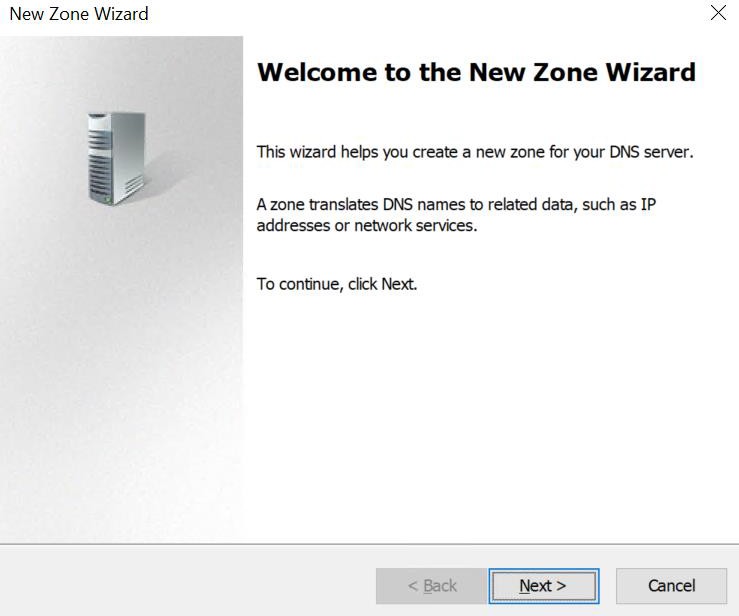
Zone creation wizard
-
Select Zone Type and click Next.
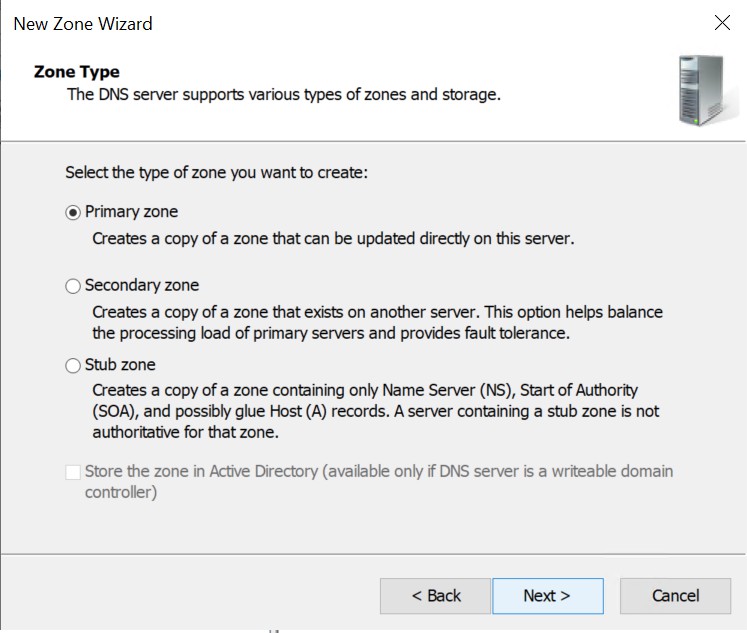
New Zone Wizard
If your system is joined to domain, then you will get the option to select the Active Directory Zone Replication Scope as shown below.
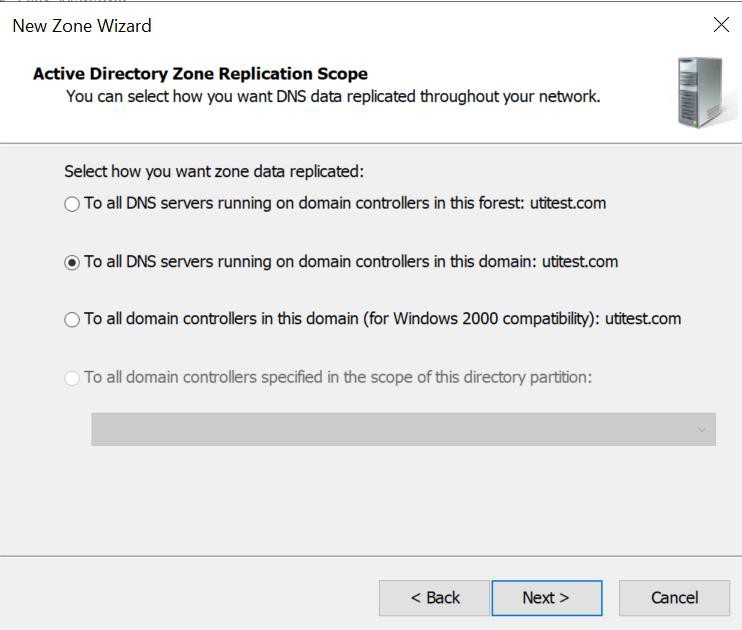
Active Directory Zone Replication Scope
-
Assign the Zone Name and click Next.
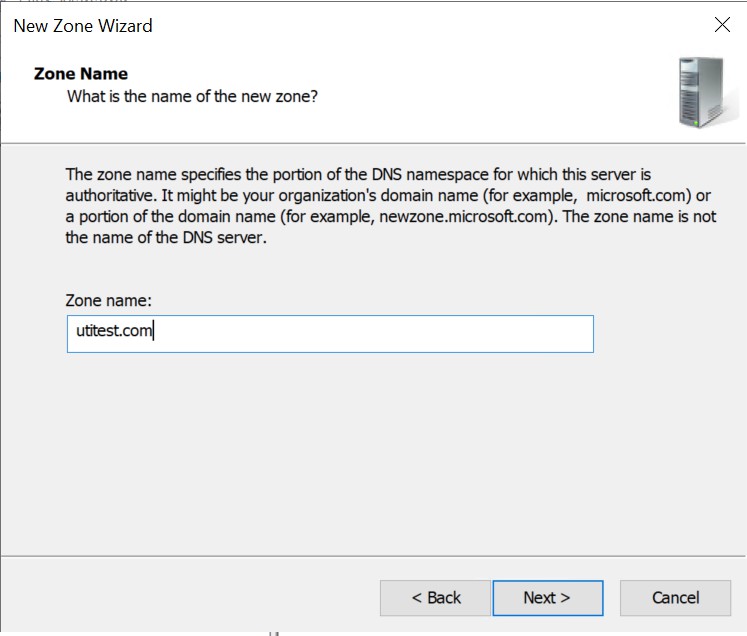
Zone Name
-
Select the Zone File option and click Next.
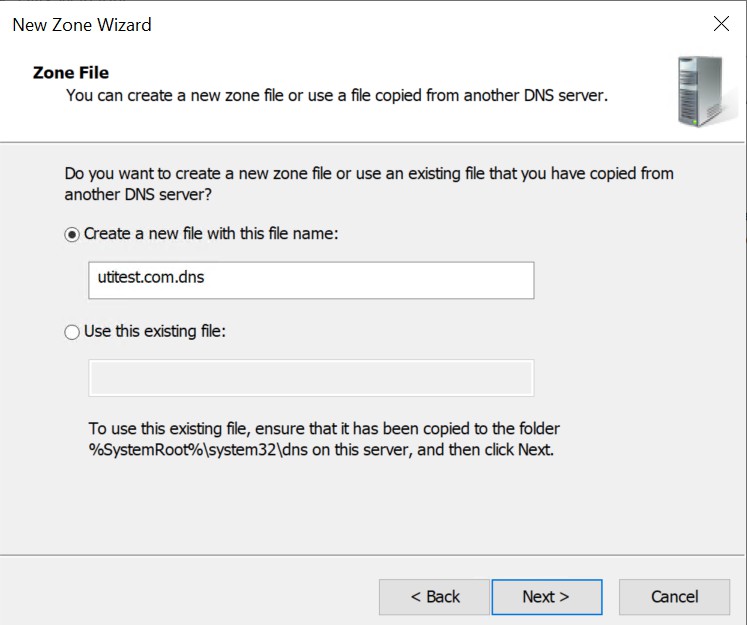
Zone File name
-
Select the Dynamic Update option and click Next.
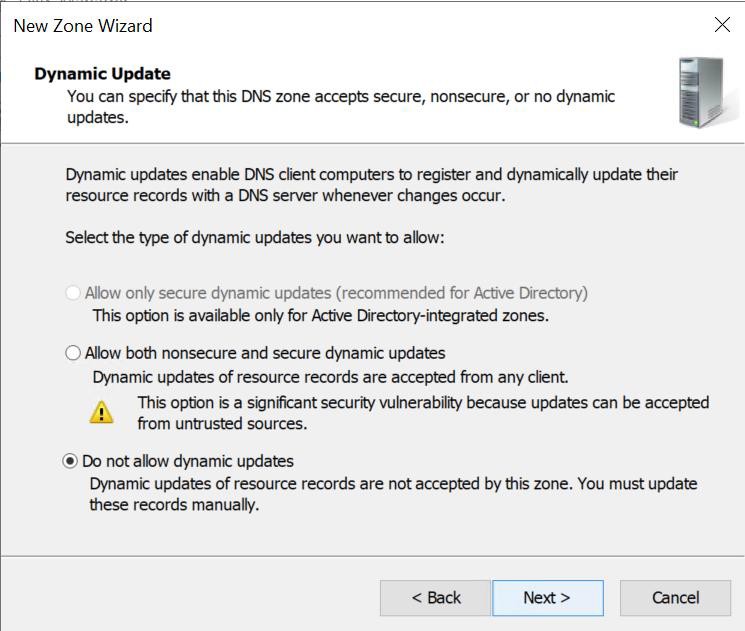
Dynamic Update option
If your system is in domain, then all the options will be available.
-
Check the information and click Finish.
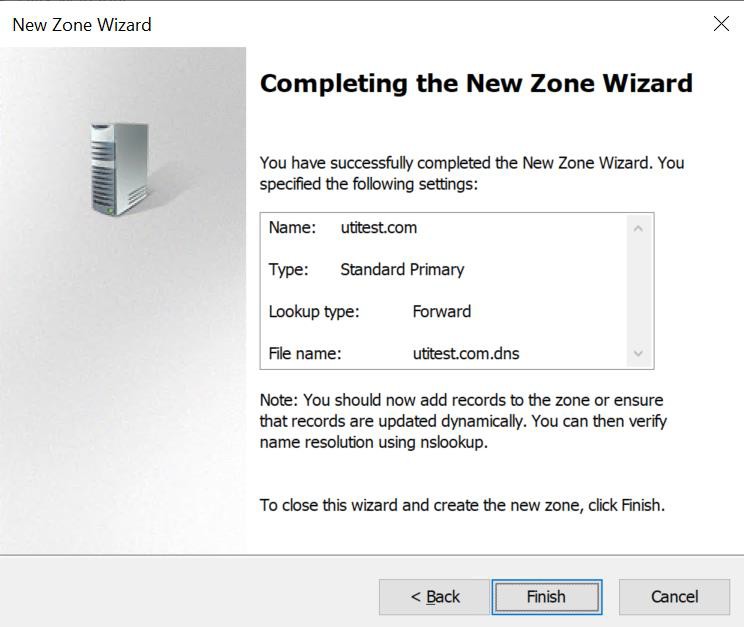
Completing New Zone Wizard