

-
Click on Server Manager by selecting Start > Server Manager > click Tools and open DNS Manager.
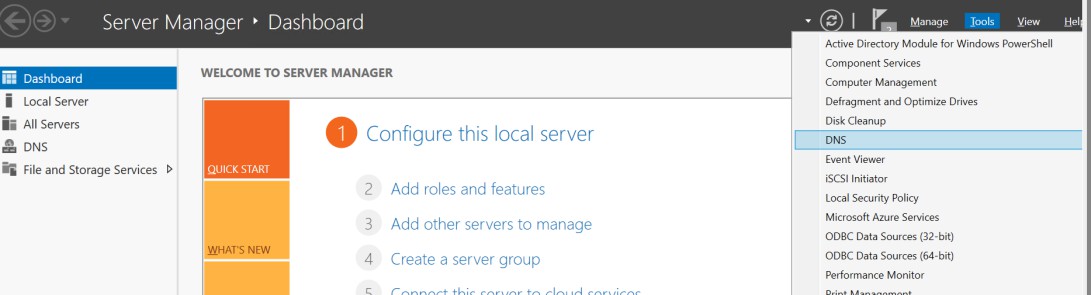
Server Manager
-
In the DNS Manager, browse to your Domain name, then right click on Reverse Lookup Zone.
-
Click DNSSEC and then click Sign the Zone.
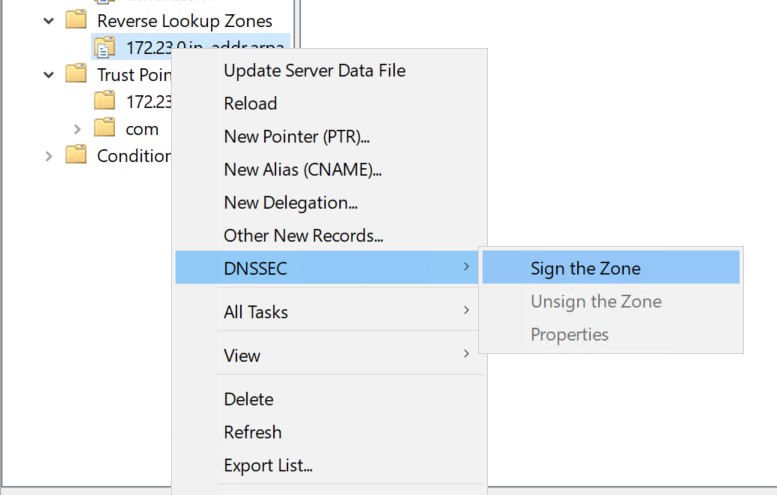
Sign the Zone
-
In the Zone Signing Wizard, click Next.
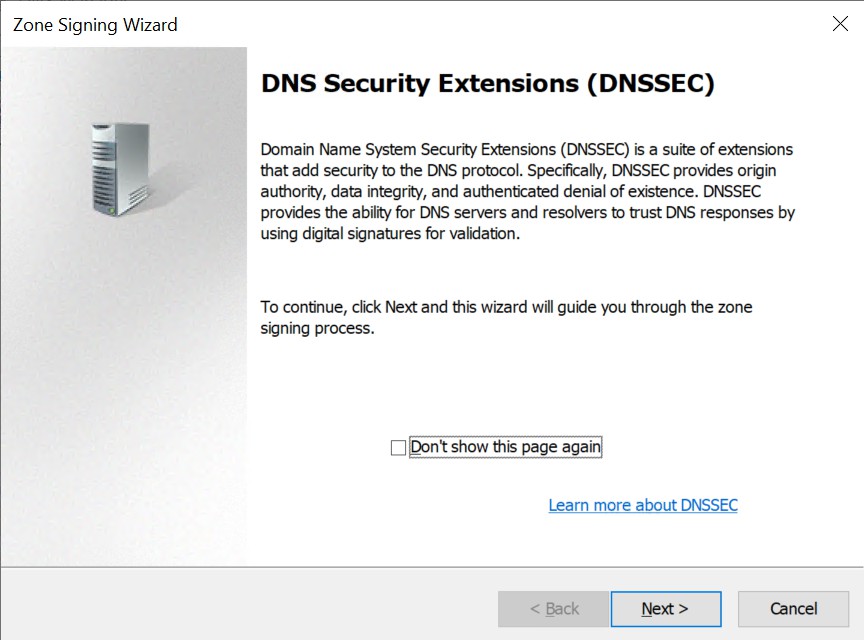
Zone Signing Wizard
-
On the Signing Options interface, click Customize zone signing parameters, and then click Next.
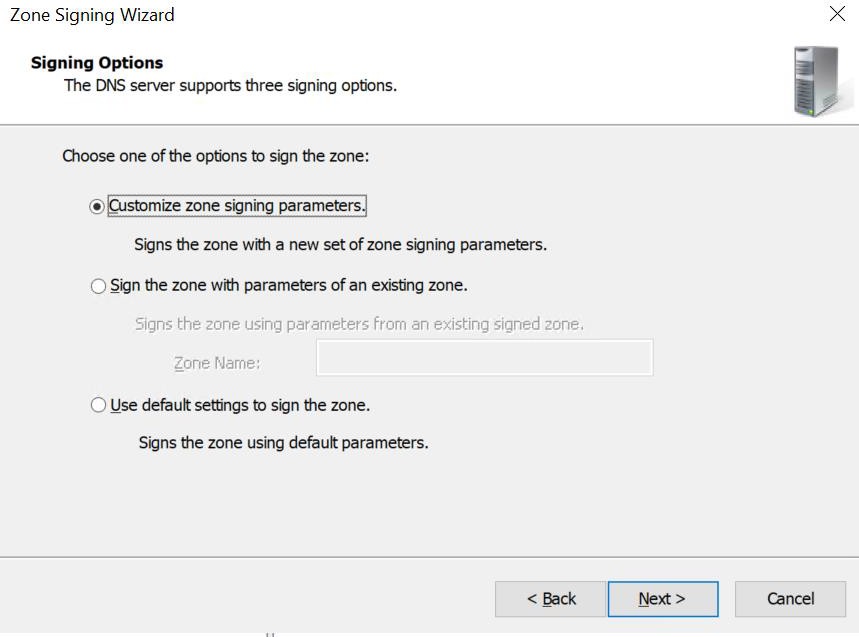
Zone Signing Parameters
-
On the Key Signing Key (KSK) Wizard, click Next.
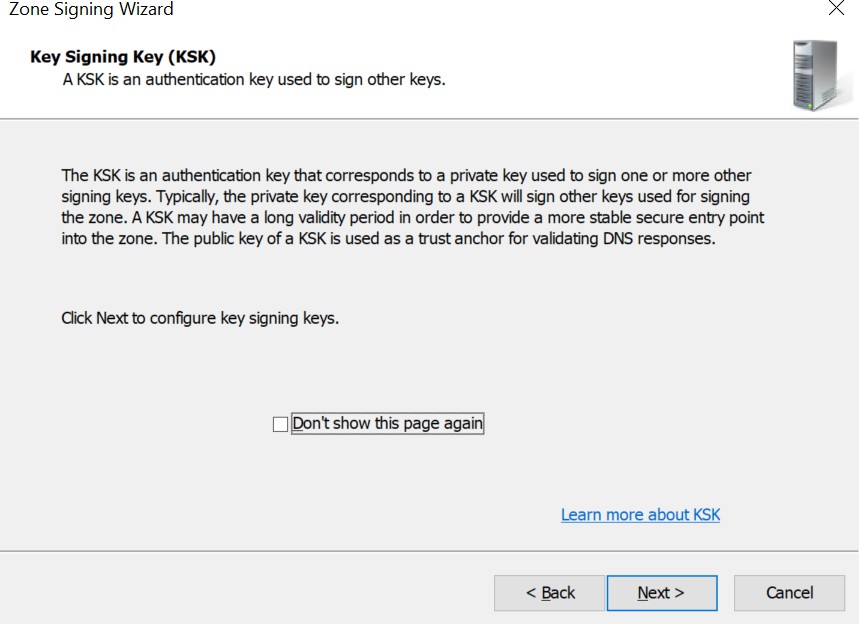
Key Signing Key (KSK) Wizard
-
On the Key Signing Key (KSK) Wizard, click Add.
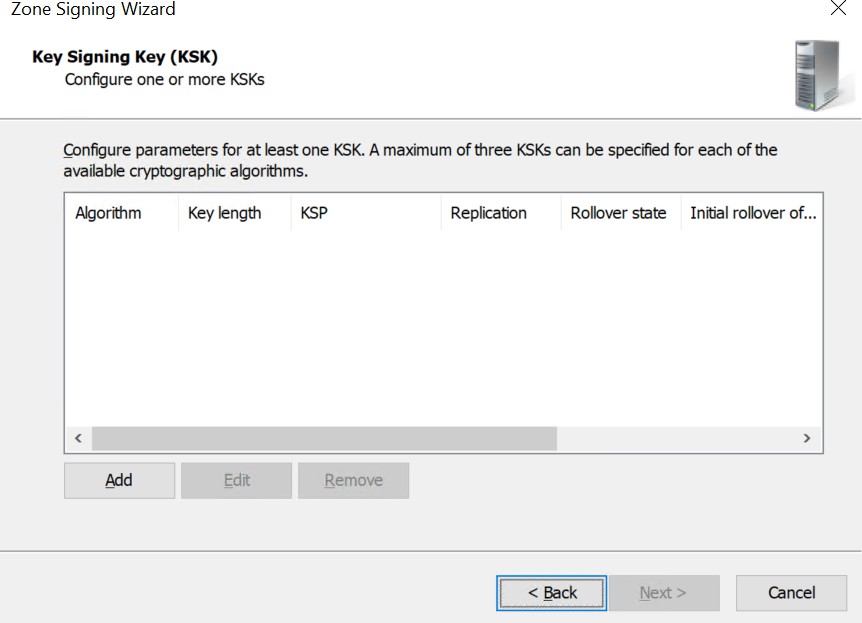
Key Signing Key (KSK) Wizard
-
On the New Key Signing Key (KSK) Wizard, from the dropdown of Select a key storage provider to generate and store keys, select Utimaco CryptoServer Key Storage Provider.
-
Provide other information such as Cryptographic Algorithm and Key Length and then click OK.
-
Uncheck the rollover option.
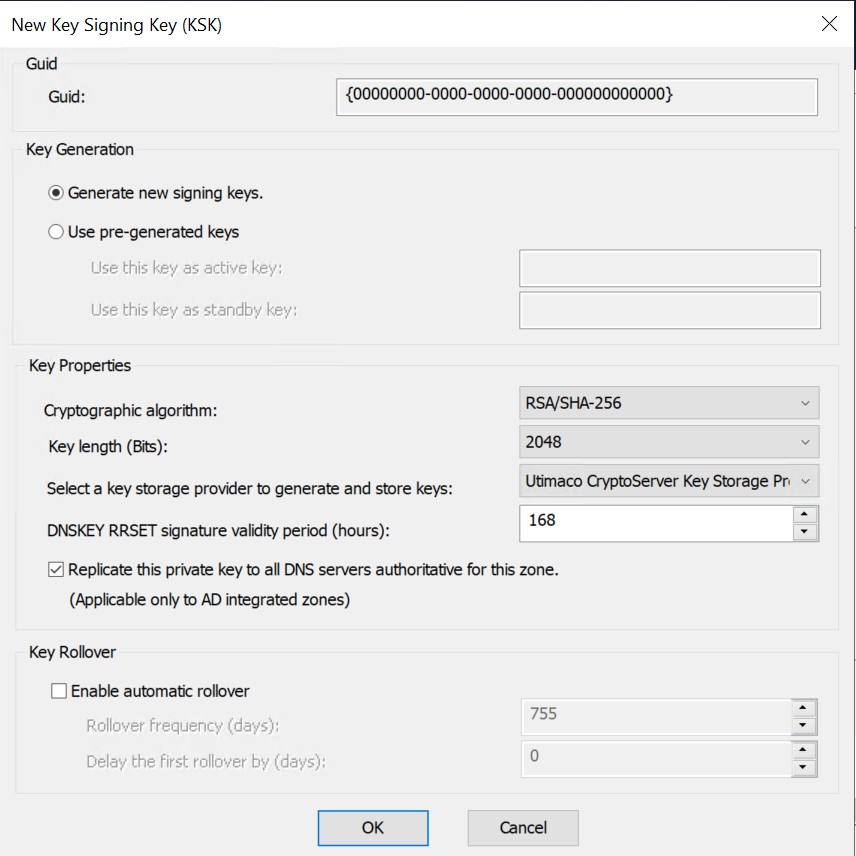
New Key Signing Key (KSK) Wizard
Automatic Key Rollover is not supported with Utimaco HSM. The user has to manually rollover the keys before its expiry.
-
On the Key Signing Key (KSK) Wizard, click Next.
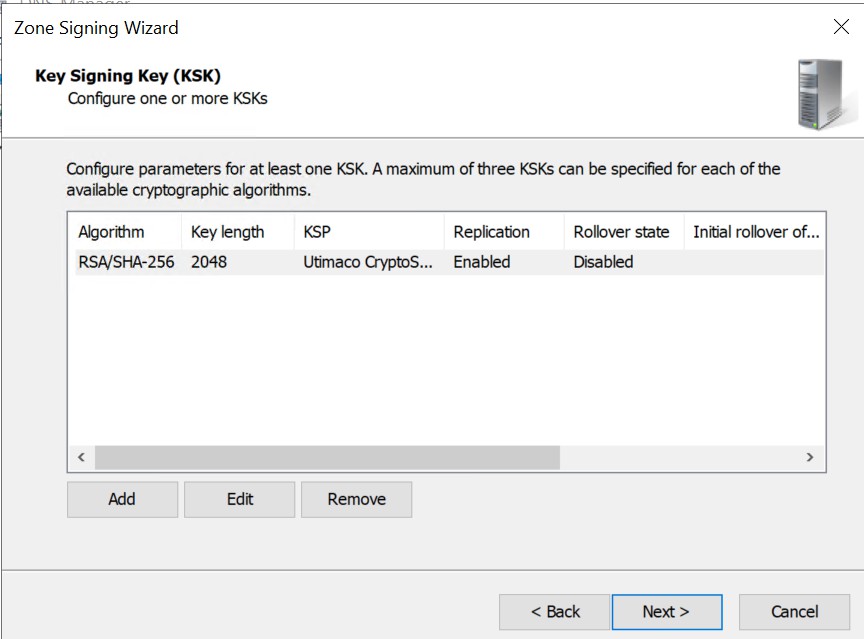
Key Signing Key (KSK) Wizard
-
On the Zone Signing Key (ZSK) Wizard, click Next.
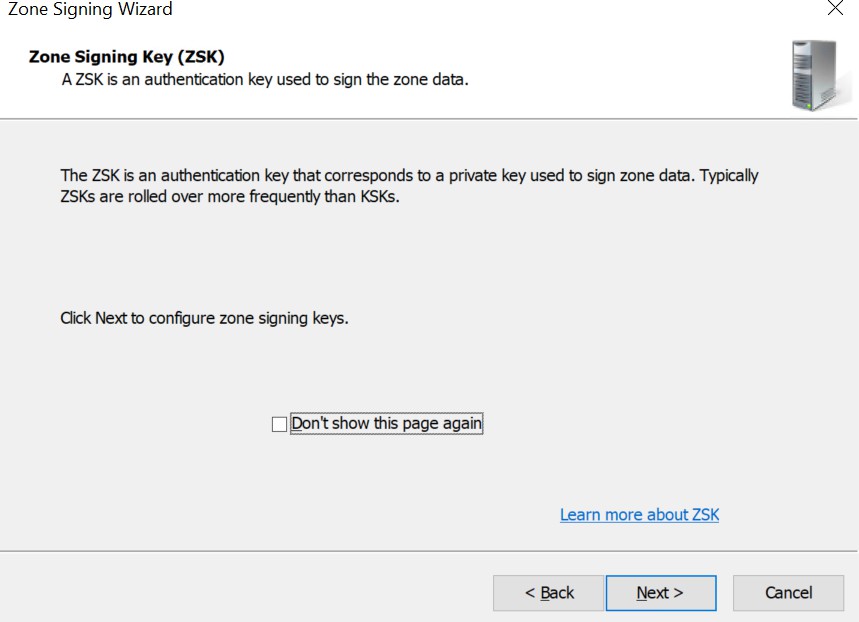
Zone Signing Key Wizard
-
On the Zone Signing Key (ZSK) wizard, click Add.
-
On the New Zone Signing Key (ZSK) Wizard, from the dropdown of Select a key storage provider to generate and store keys, select Utimaco CryptoServer Key Storage Provider.
-
Provide other information such as Cryptographic Algorithm and Key Length and then click OK.
-
Uncheck the rollover option.
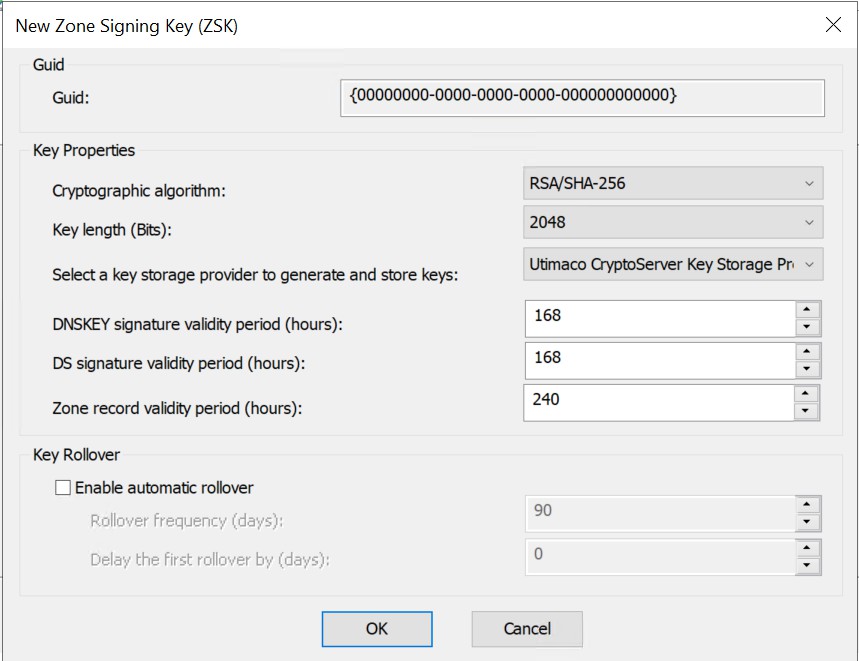
Zone Signing Key (ZSK) Wizard
Automatic Key Rollover is not supported with Utimaco HSM. The user has to manually rollover the keys before its expiry.
-
On the Zone Signing Key (ZSK) Wizard, click Next.
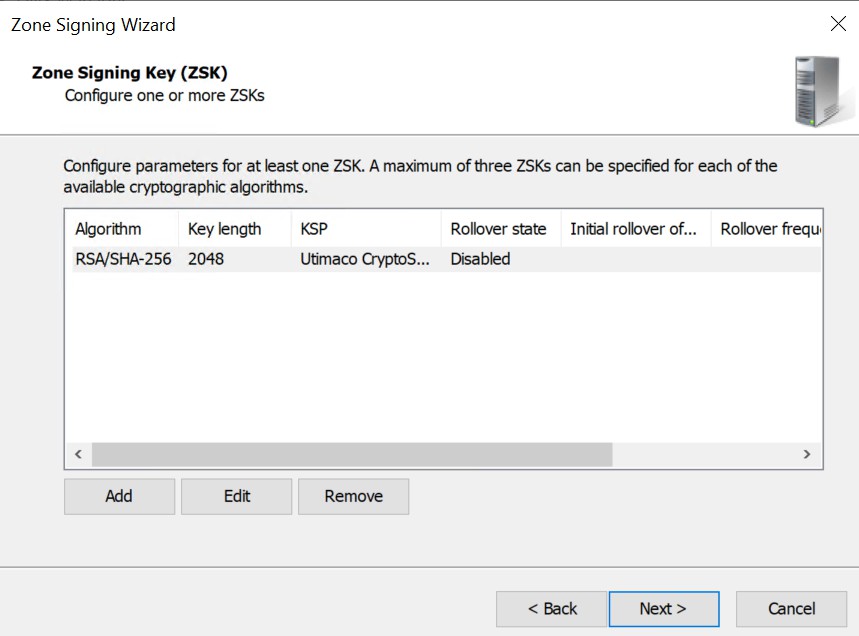
Zone Signing Key (ZSK) Wizard
-
On the Next Secure (NSEC) Wizard select use NSEC3, click Next.
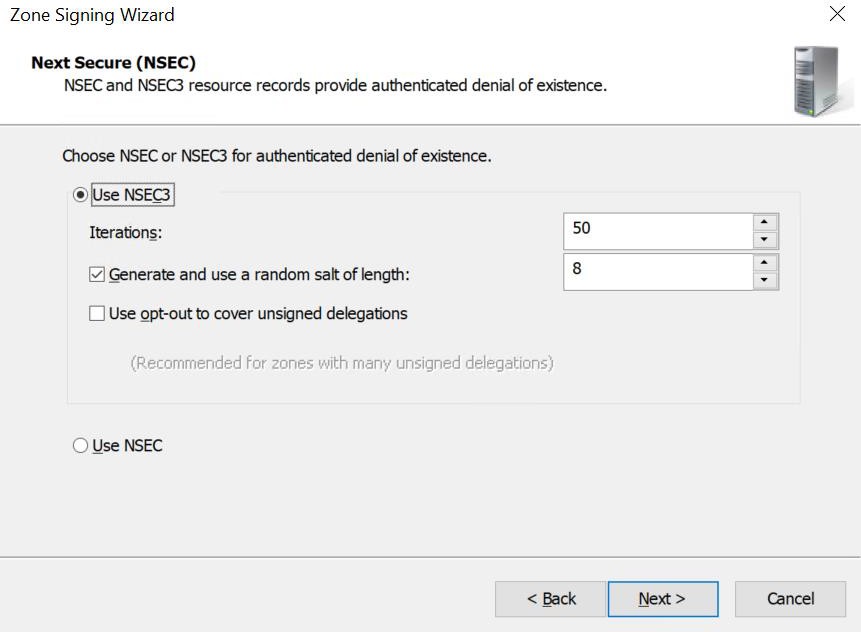
Next Secure (NSEC) Wizard
-
On the Trust Anchors (TAs) Wizard, check the Enable the distribution of trust anchors for this zone check box, and then click Next.
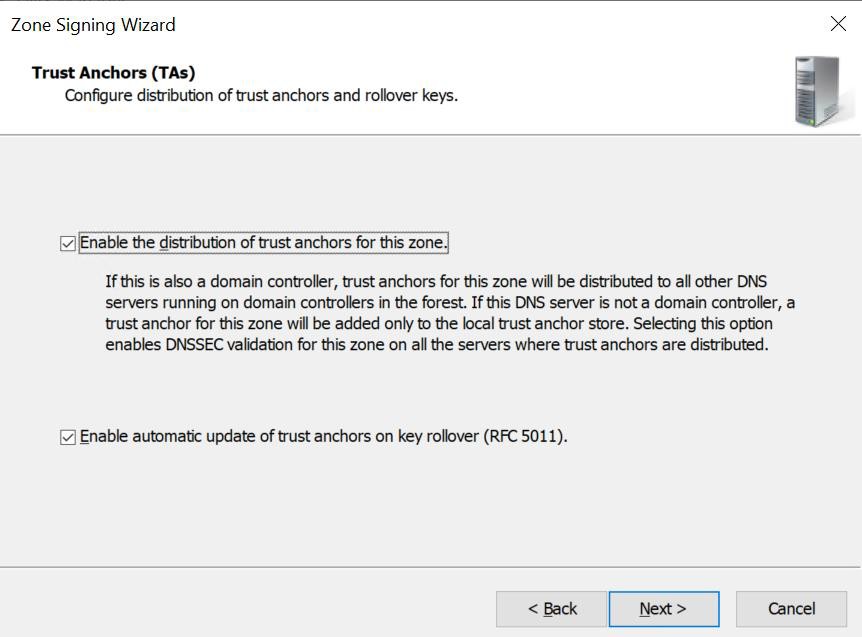
Trust Anchors (TAs) Wizard
-
On the Signing and Polling Parameters wizard, click Next.
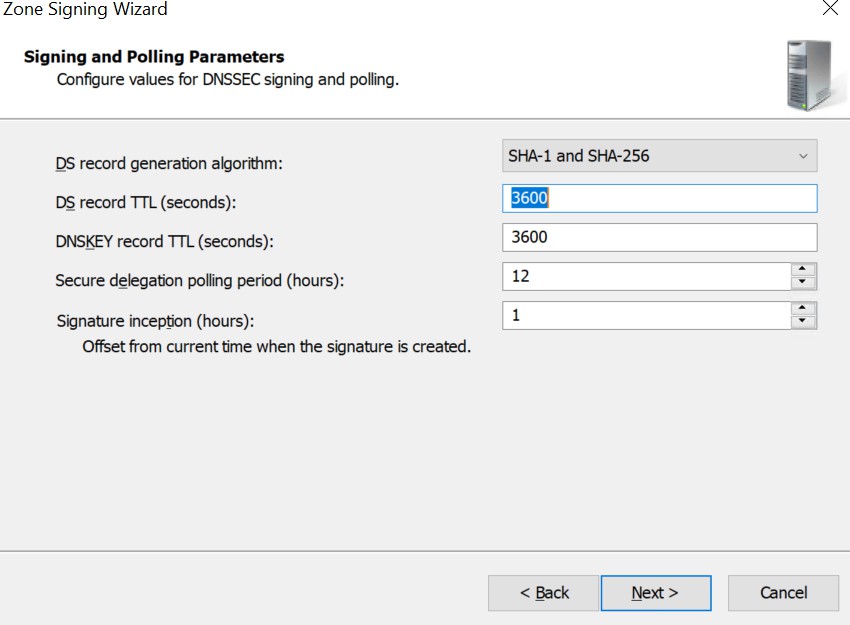
Signing and Polling Parameters Wizard
-
On the DNS Security Extensions (DNSSEC) Wizard, click Next, and then click Finish.
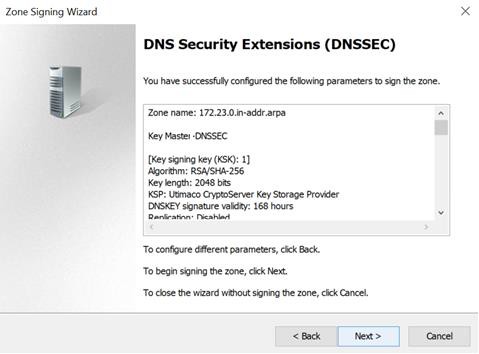
DNS Security Extensions (DNSSEC) Wizard
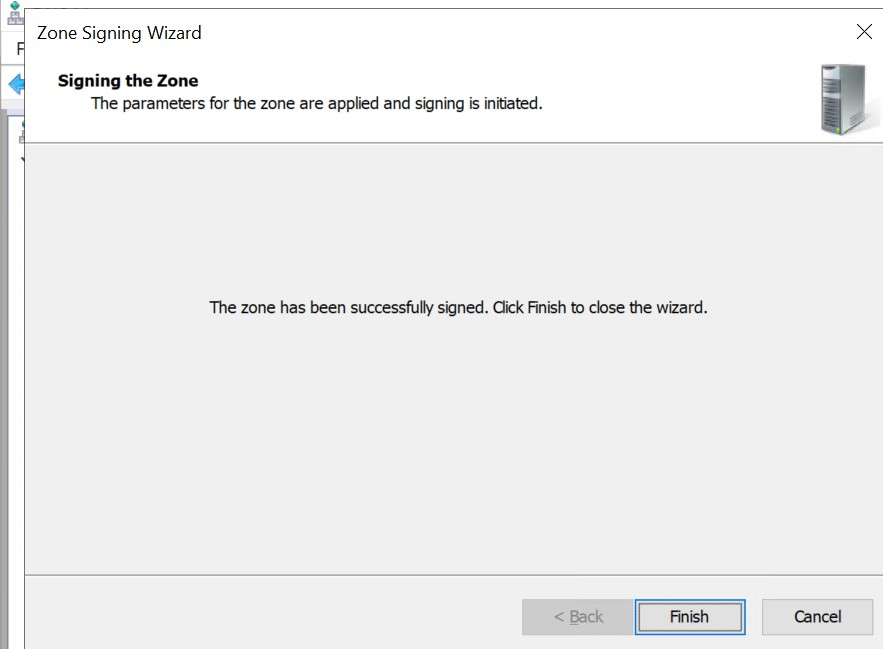
Signing the Zone