

-
Add the AD FS server to domain if not added.
-
Log in to the AD FS server as a domain administrator.
-
Open Start and Run, then type “certlm.msc”. This will open the certificate for the Local Computer.
-
Go to Personal and right-click on All Tasks. Then, select Request New Certificate.
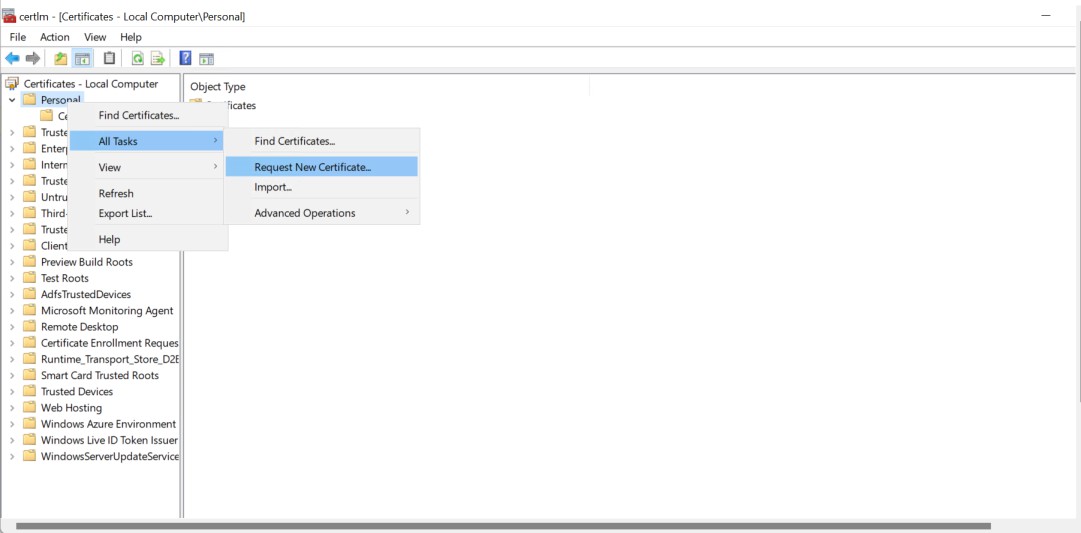
Certificate console
-
Click Next, Select Active Directory Enrollment Policy, then click on the down arrow button. The certificate template that you have configured, the ADFSCertificateTemplate, will be displayed.
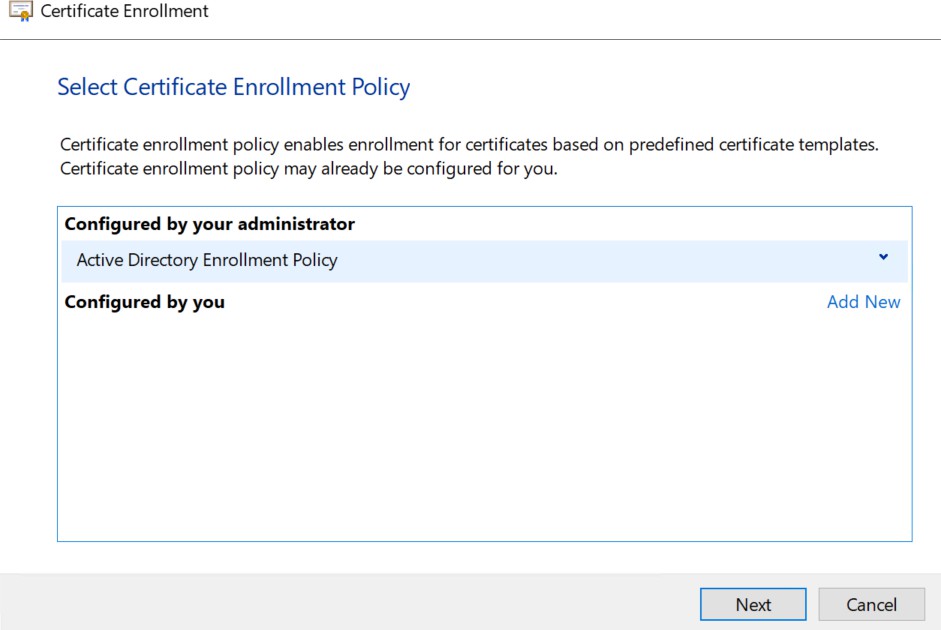
Certificate enrollment
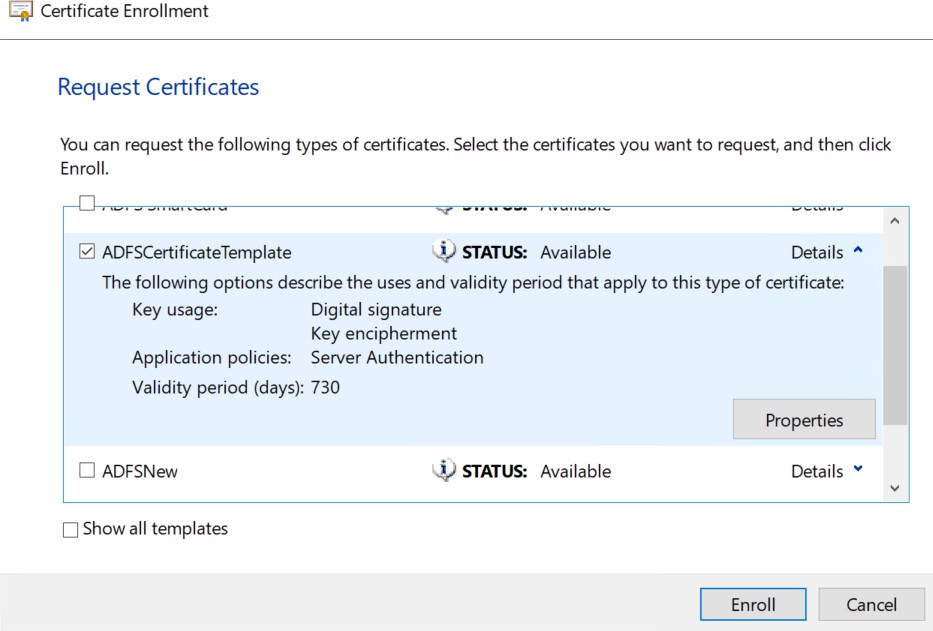
Certificate enrollment
-
Click on Properties of the certificate template.
-
The Certificate Properties will open. Provide the details for the certificate.
-
Click on the Private Key tab and make sure that RSA, Utimaco CryptoServer Key Storage Provider is selected.
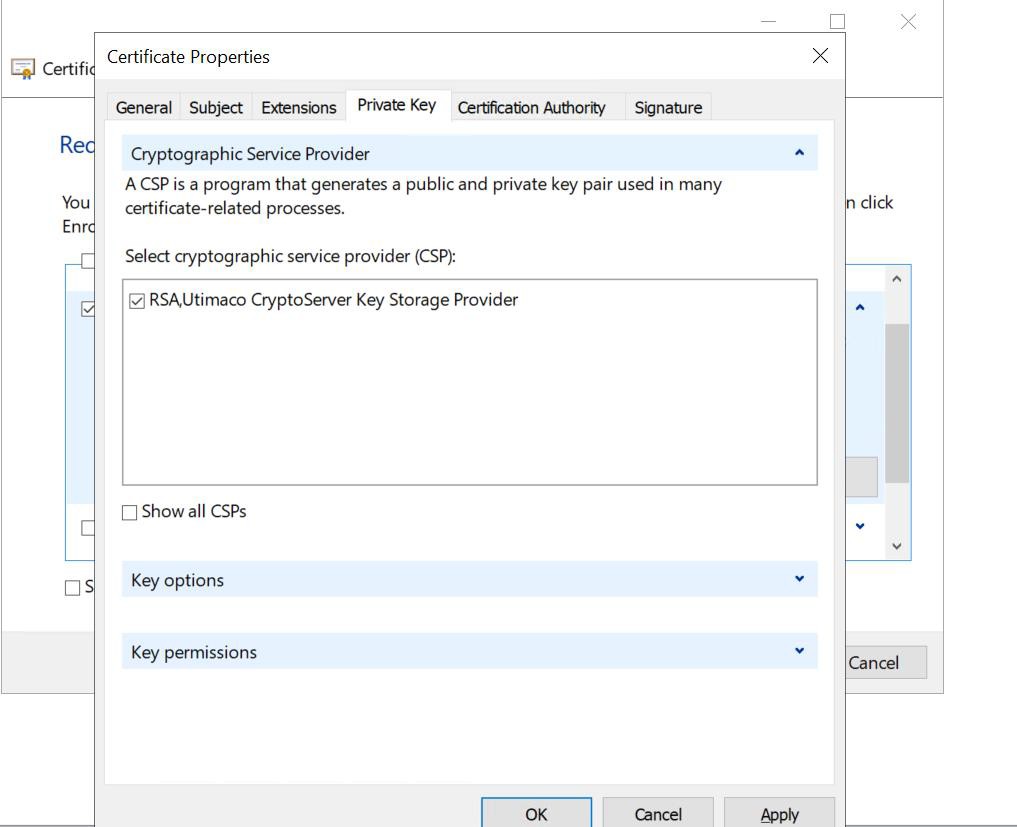
Certificate properties
-
Click apply and OK.
-
Click Enroll to enroll the SSL certificate. Click on Finish.
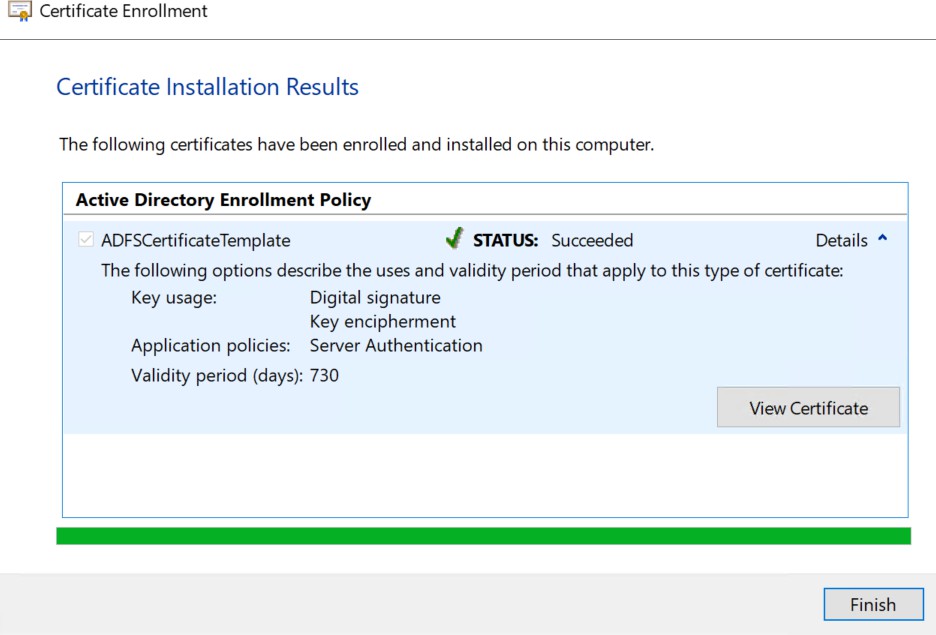
Certificate installation results
If you are using Smartcard Authentication, the PIN Pad device will prompt to insert the Smartcard and enter the PIN. Then, press the OK button on the PIN Pad.
-
Repeat the above steps to generate the Token Signing Certificate and the Token Decryption Certificate.
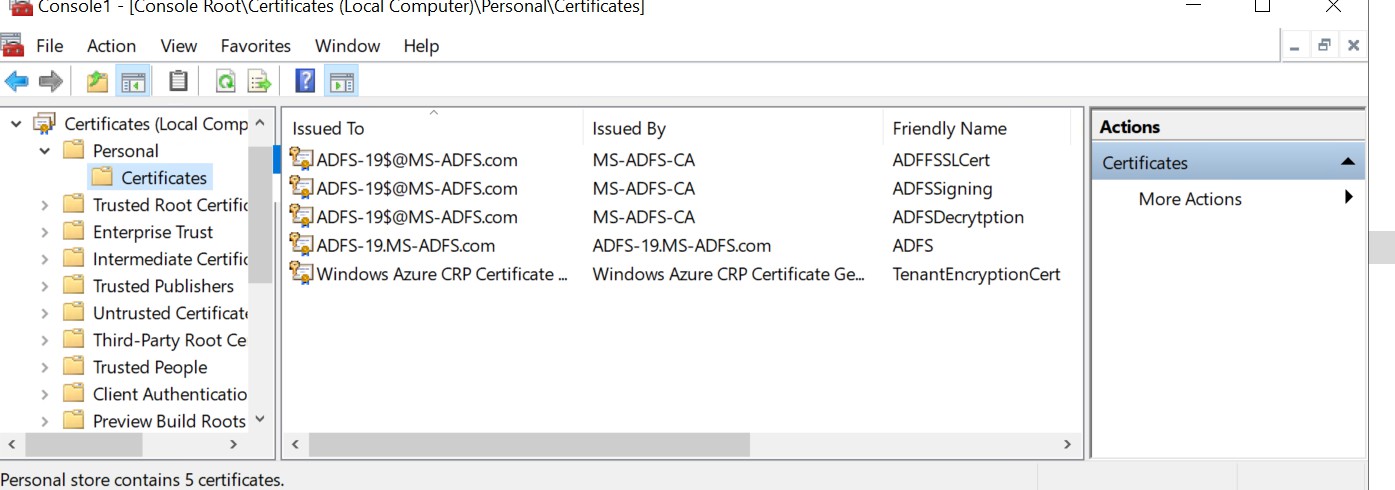
Certificate window