

Once you successfully add the token encryption and decryption certificates, you must restart the AD FS Services by following the steps below.
-
Go to Start, then Administrative tools select services. Then, select Active directory federation service and restart it.
If you are using Smartcard Authentication, the PIN Pad device will prompt to insert the Smartcard and enter the PIN. Then, press the OK button on the PIN Pad.
-
To verify that the Internet Information Services (IIS) is configured correctly, on the federation server log on to a client computer that is located in the same forest as the federation server.
-
Open a browser window. In the address bar, type the federation server's host name, and then append
/adfs/fs/federationserverservice.asmxto it for the new federation server. For example: https://<adfs_server>/adfs/fs/federationserverservice.asmx. -
Press the ENTER button, and complete the next procedure on the federation server computer. If you see the message 'There is a problem with this website's security certificate', click Continue to this website.
-
The expected output is a display of XML with the service description document. If this page appears, IIS on the federation server is operational.
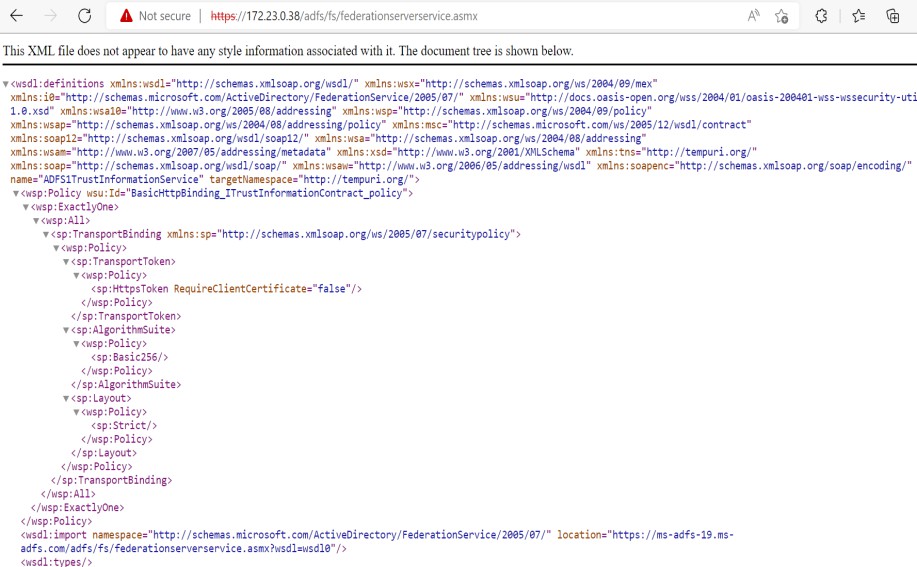
Federation server verification window