

-
Open Start and Run on the AD FS server. Then, type “certlm.msc”. This will open the certificate for the Local computer.
-
Right-click on your SSL certificate that you have enrolled. Then, select All Tasks > Manage Private Keys.
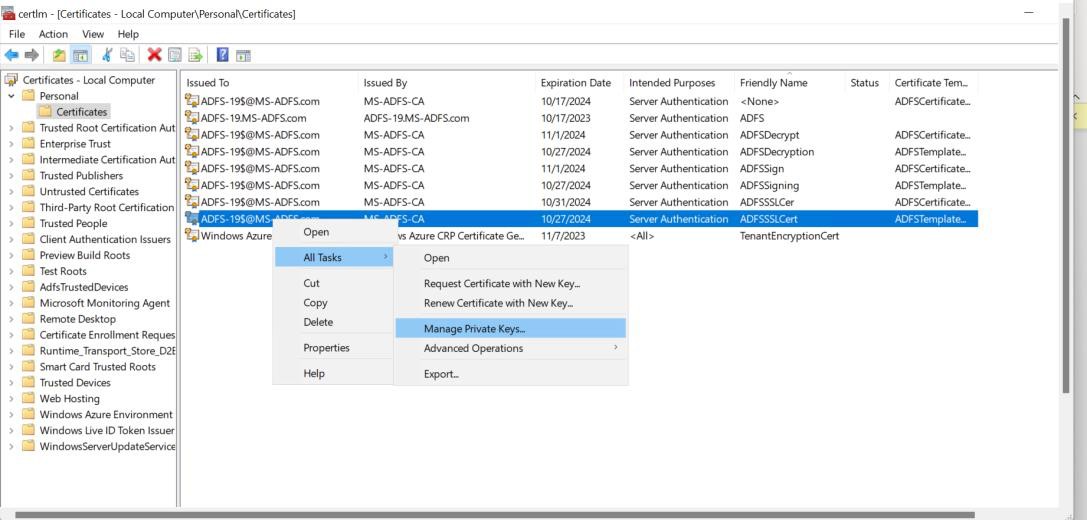
Certificate window
-
Select Add > Object Types > Select Service Accounts > Locate and select your ADFS service account. Grant full control.
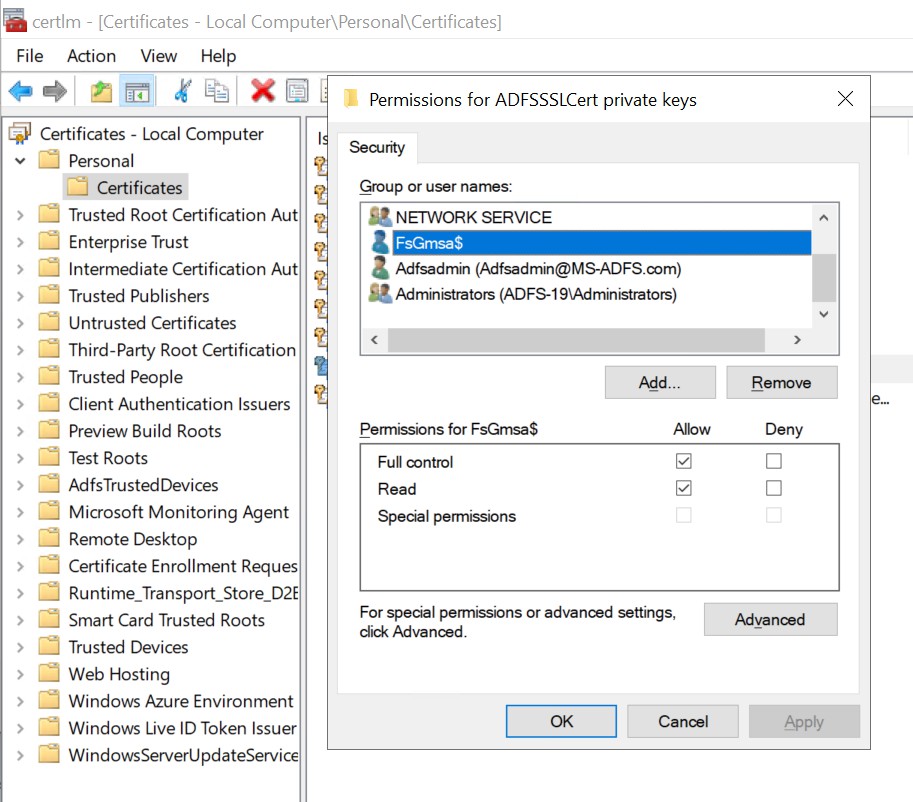
Permissions for ADFSSSLCert private keys
Once you click on OK, it will provide permissions for private keys of the certificate. Similarly, follow the above process to provide permissions for the Token Singing Certificate and the Token Decryption Certificate Private Keys.