

-
For issuing the certificate template on certificate authority, open the Certificate Authority option added from the mmc console or go to Run and type “certlm.msc”.
-
Certificate Authority window gets populated, then expand it.
-
Right-click on the Certificate Template option and select New. Then select Certificate Template to Issue.
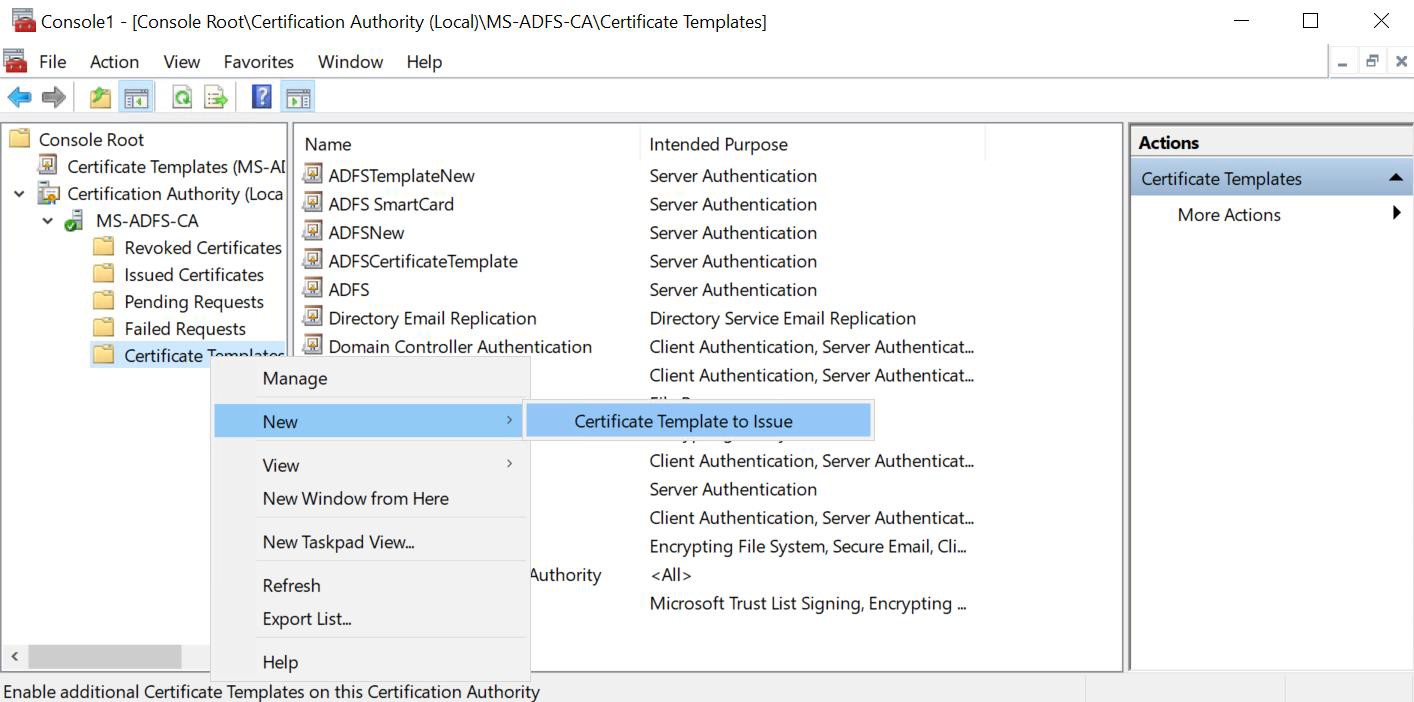
Certificate authority wizard
-
Enable Certificate Templates window gets populated, where you need to select ADFSCertificateTemplate and click on the OK button.
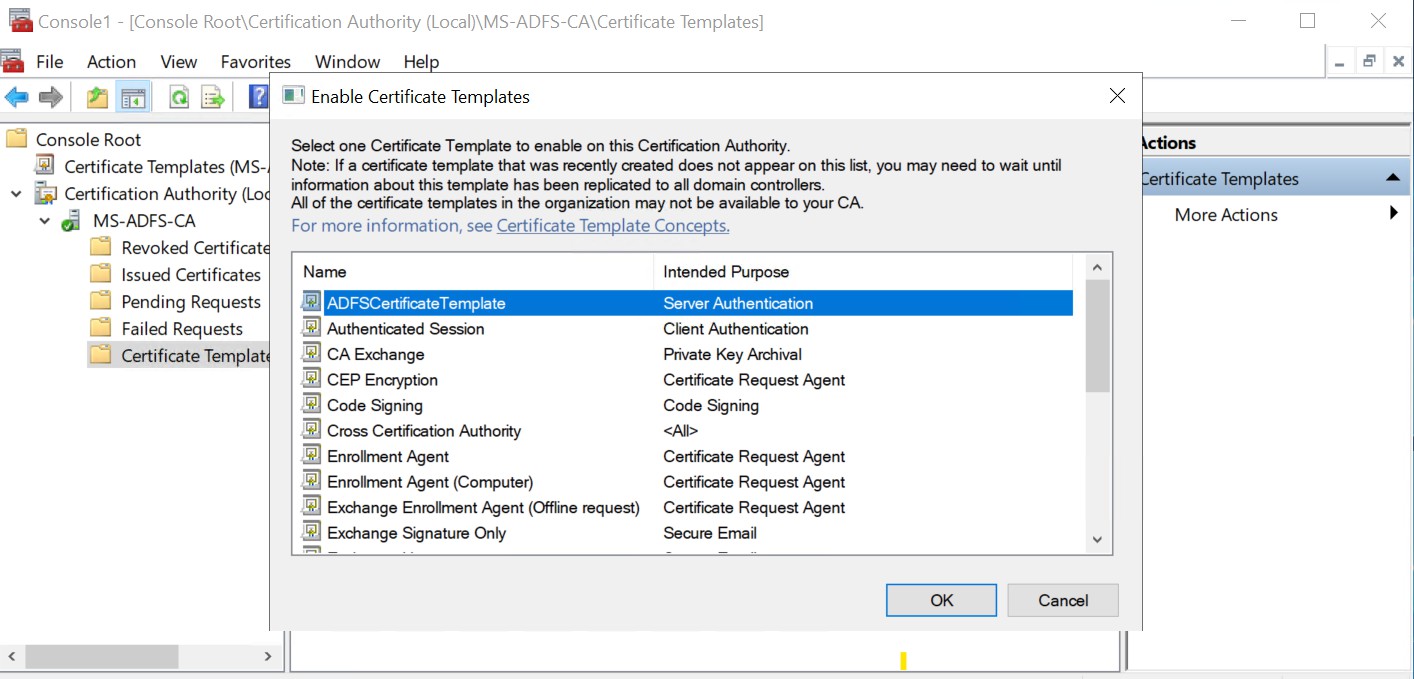
Enable certificate template wizard
-
After clicking on the OK button, the Issued Certificate option it will show and ADFSCertificateTemplate has been issued.
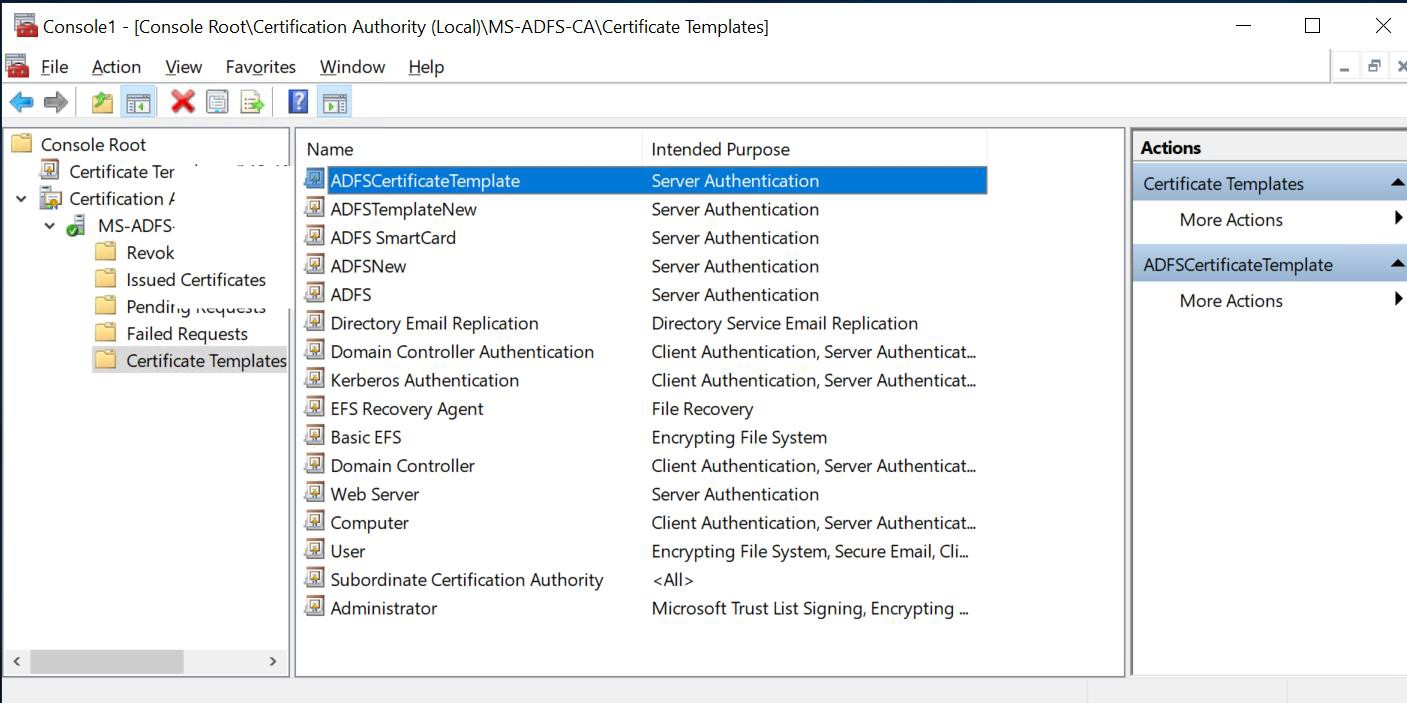
Certificate template wizard