

-
Log in to AD FS Server as a domain administrator.
-
Go to the server manager and select Add Role and Feature.
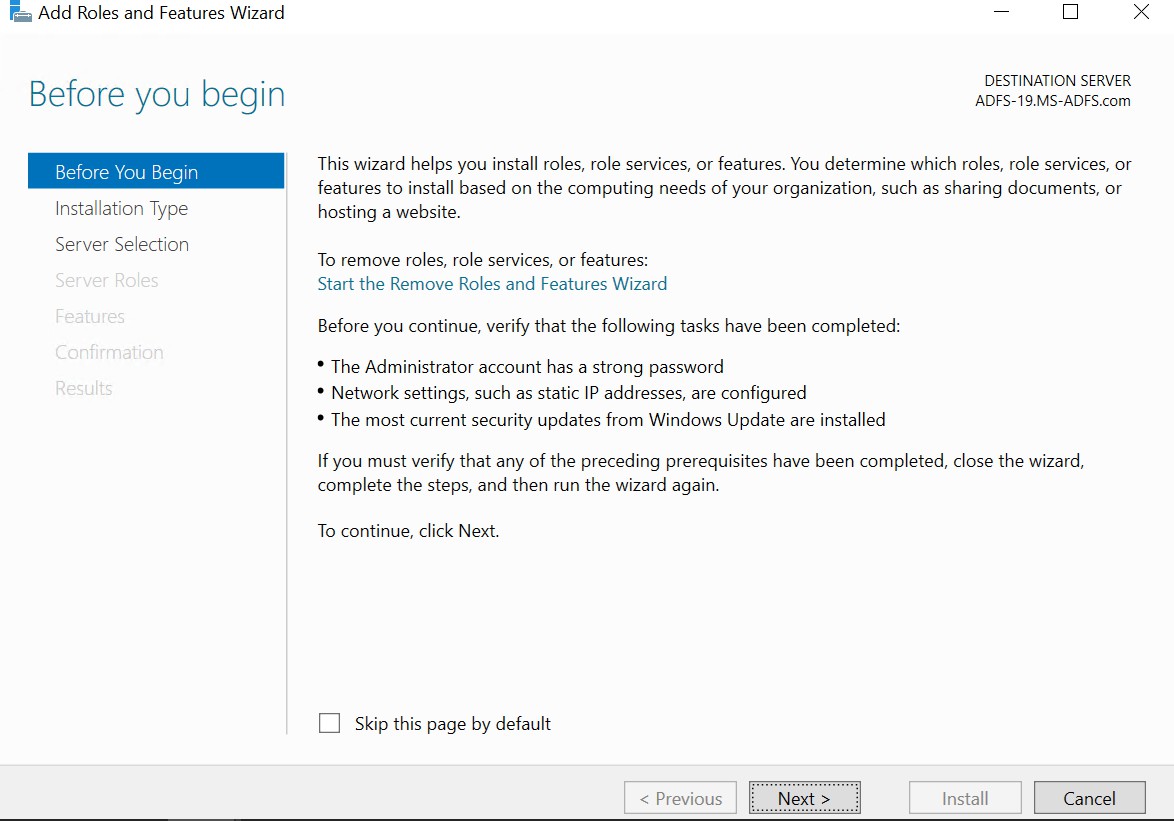
Server manager dashboard
-
Select the server from pool.
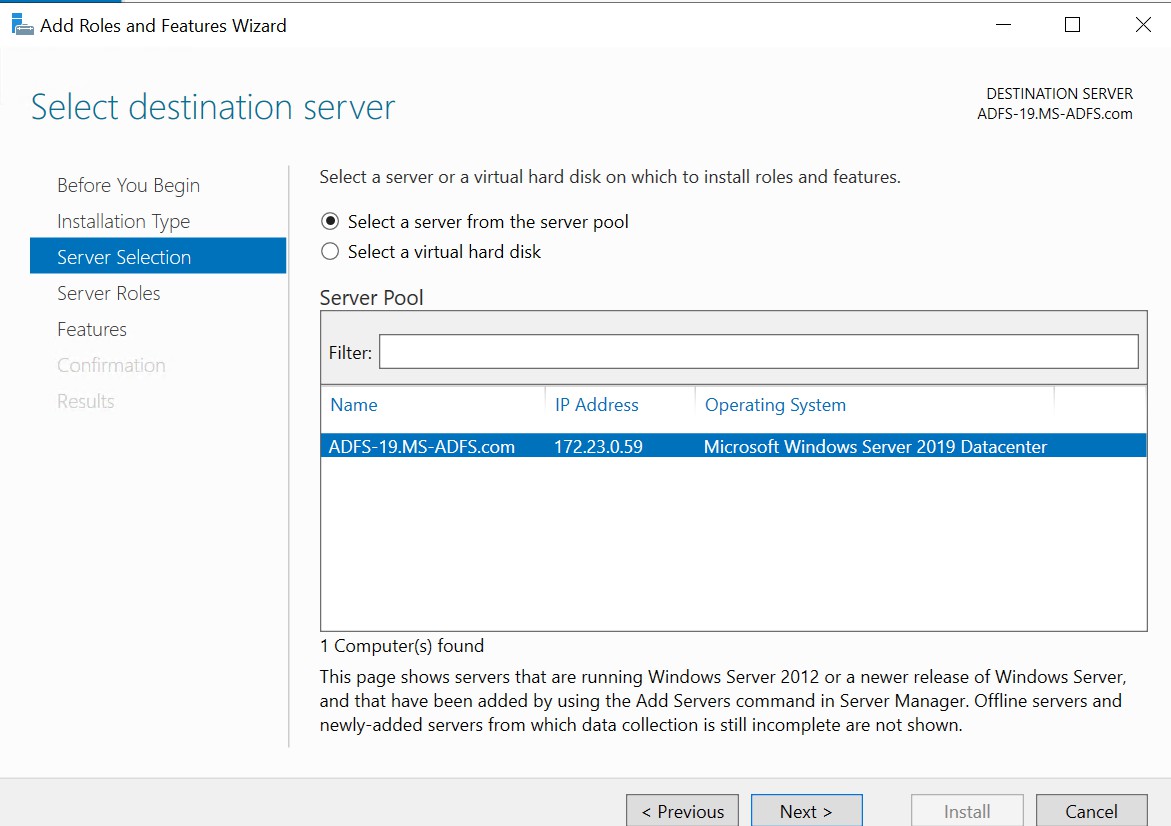
Add Roles and Features Wizard
-
Select Active Directory Federation Services and click on Next.
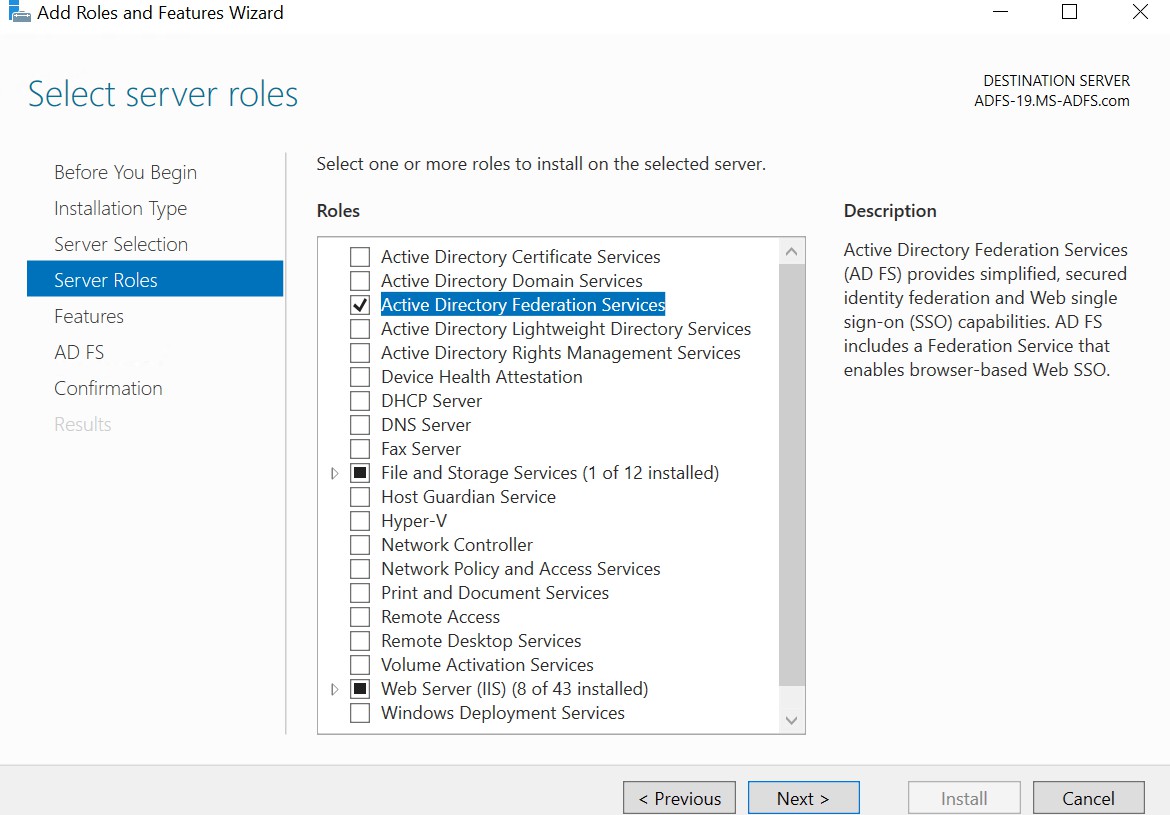
Select server roles
-
Click on Next. Click on the Next button again.
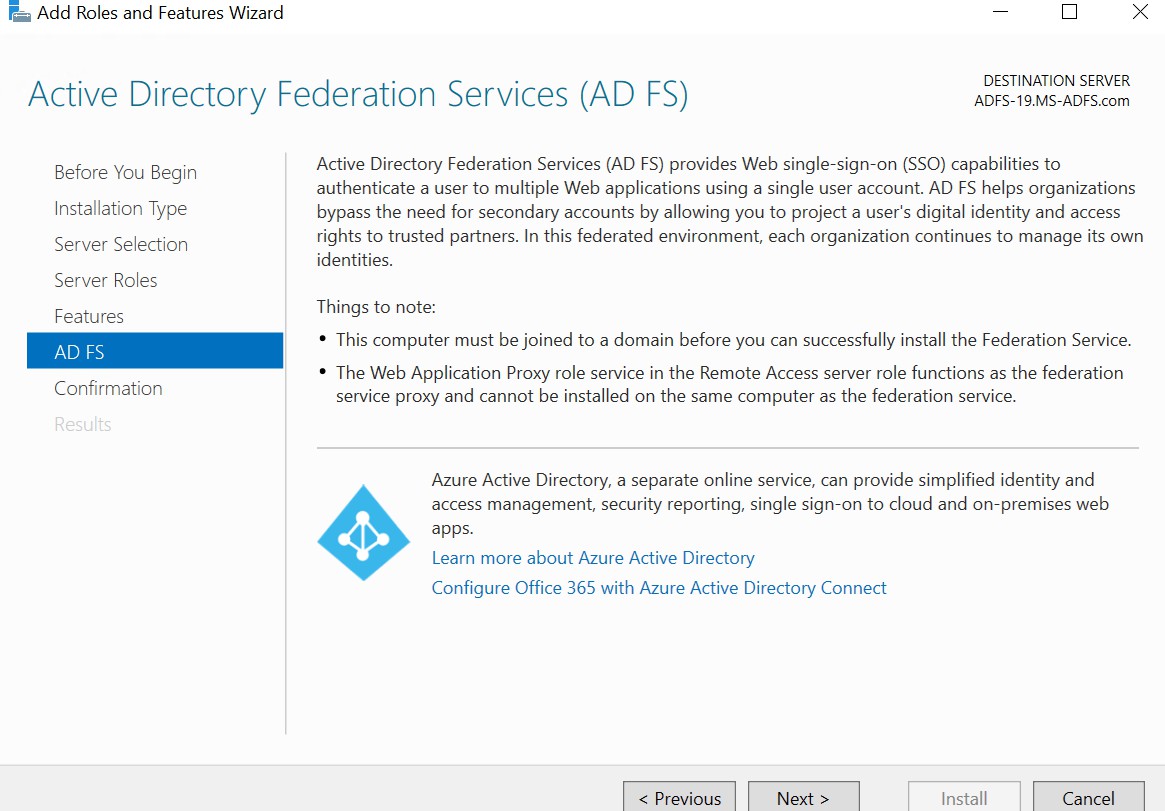
AD FS wizard
-
Select the checkbox Restart the destination servers automatically if required. Click on Install.
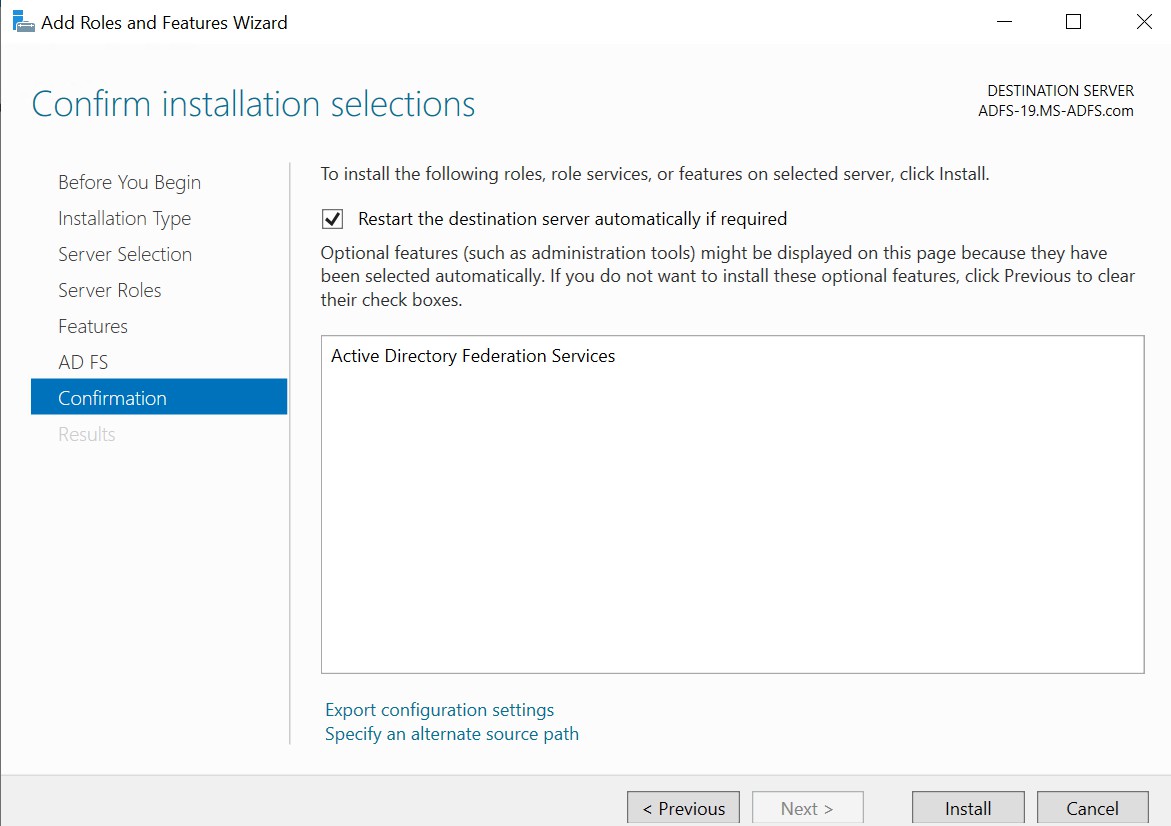
Confirmation wizard
-
Wait until the installation is completed.
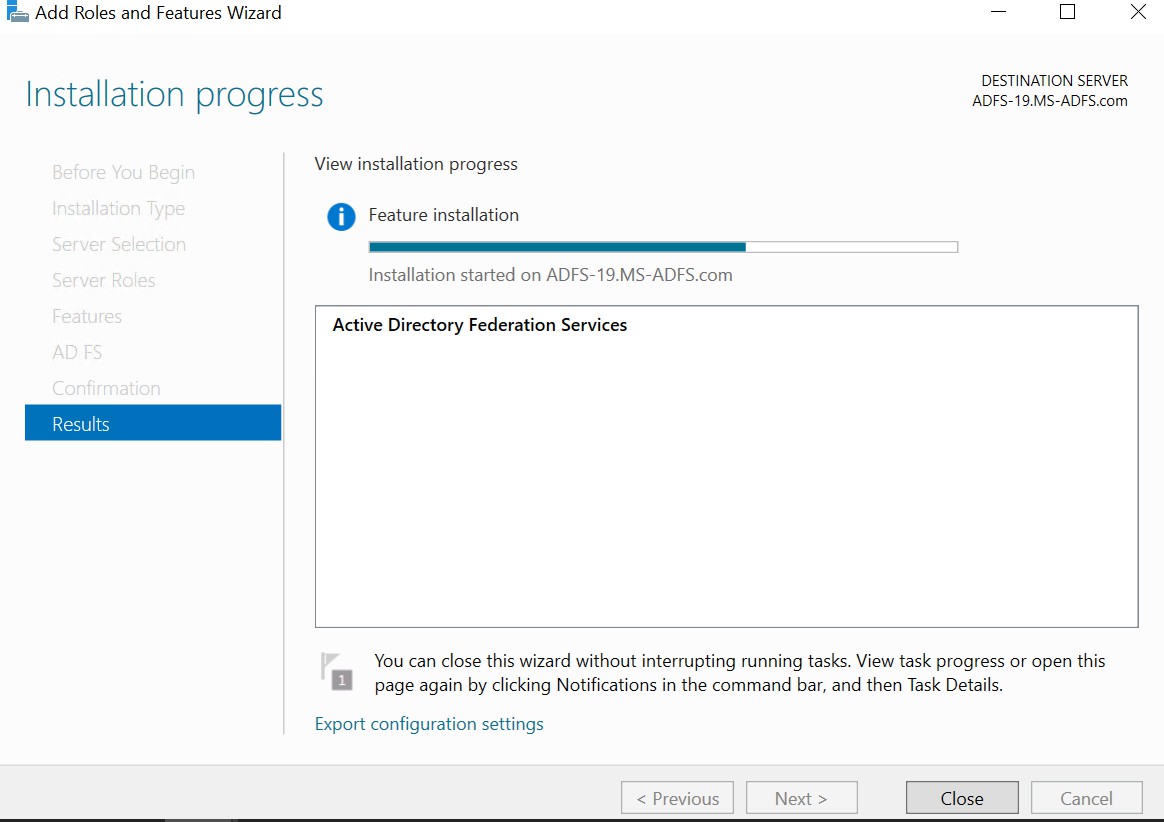
Results wizard