

-
Copy the MBK shares and databases files from first cluster node onto second cluster node
-
Using CAT utility, log in to the CryptoServer with administrative privileges
-
Select Manage MBK and select Import tab and import the MBK shares which copied from first cluster node
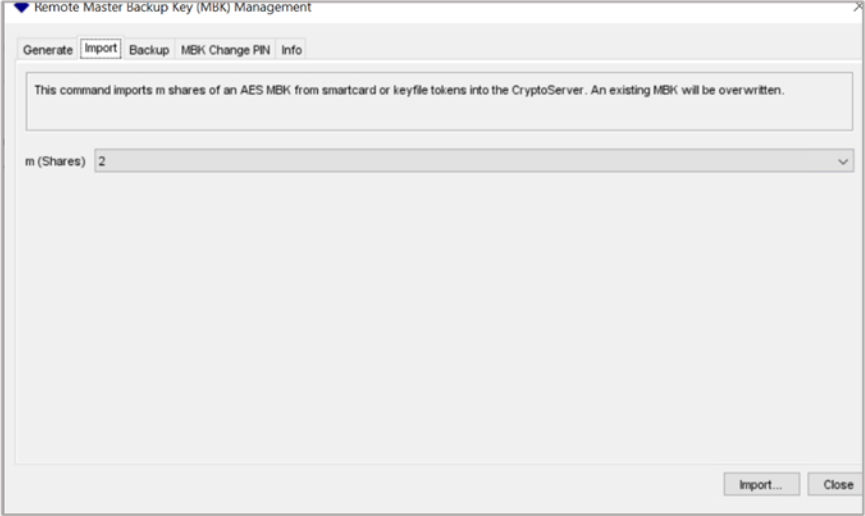
Figure 94: Remote Master Backup Key Management window
-
Select Backup/Restore button on CAT tool and select radio button for Restore databases from backup directory to target Cryptoserver
-
Add CXIKEY.db and user.db to target Crytoserver and click Execute
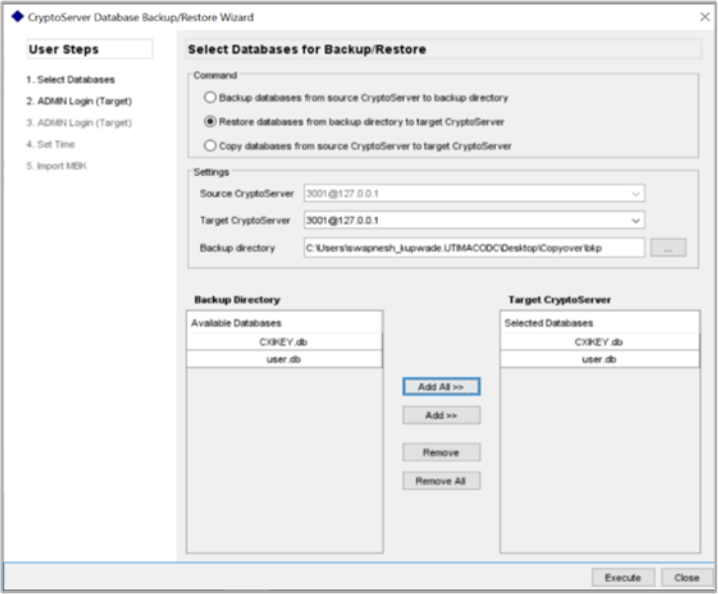
Figure 95: CryptoServer Database Backup/Restore window
-
Restart the CryptoServer service and ensure that users and keys got restore successfully
-
Check with the cngtool whether the private key was imported successfully
|
›_ Console |
|---|
|
If you are using Smartcard Authentication, the prompt will go on the PIN Pad device to insert Smartcard and enter the pin. Then press OK button on the PIN Pad.