

Please execute the following steps on both the cluster nodes
-
Log in to cluster node as a user with Administrative privileges
-
Select Start and then Server Manager to open Server Manager
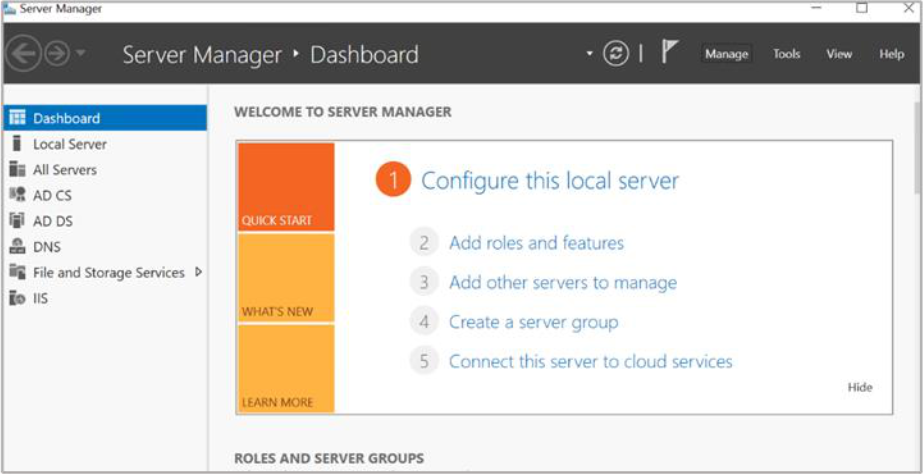
Figure 97: Server Manger window
-
Under Configure this Local Sever and click Add Roles and Features. The Add Roles and Features Wizard displays. Click Next
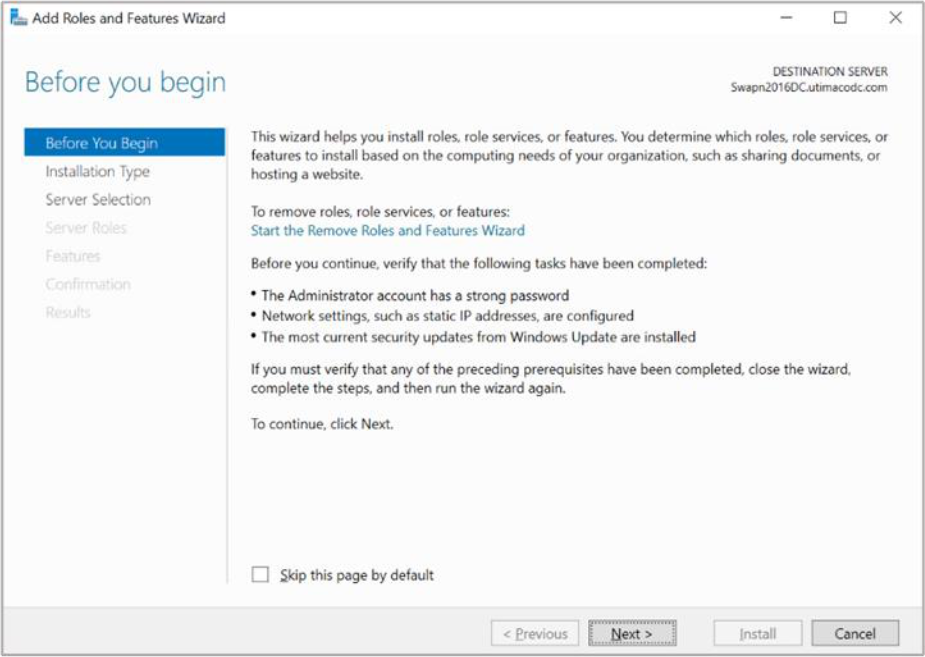
Figure 98: Before You Begin window
-
Select the radio button for Role-based or feature-based installation and click Next
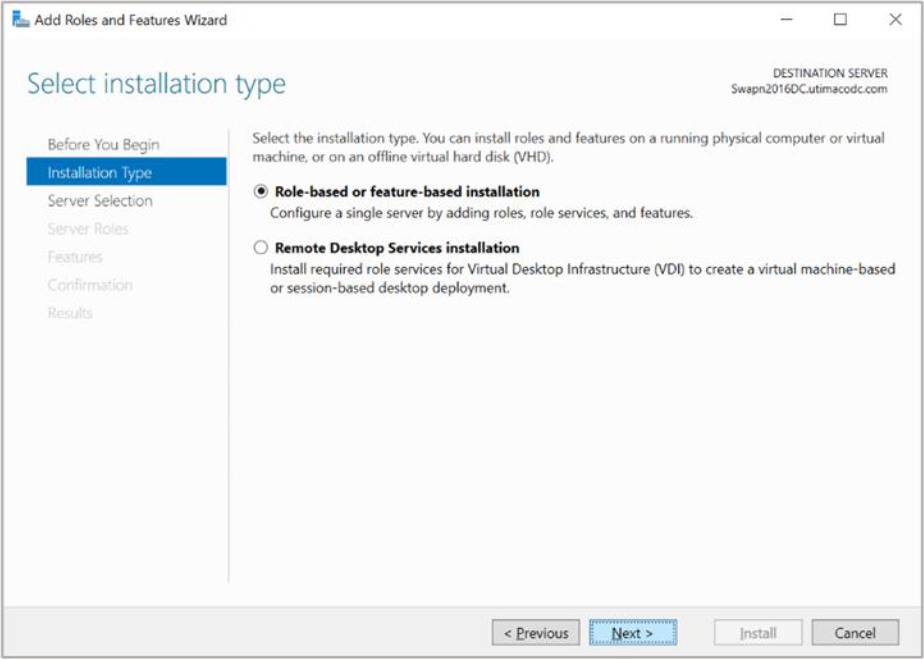
Figure 99: Select installation type window
-
Select the radio button for Select a server from the server pool option and from Server Pool. Select cluster node and click Next
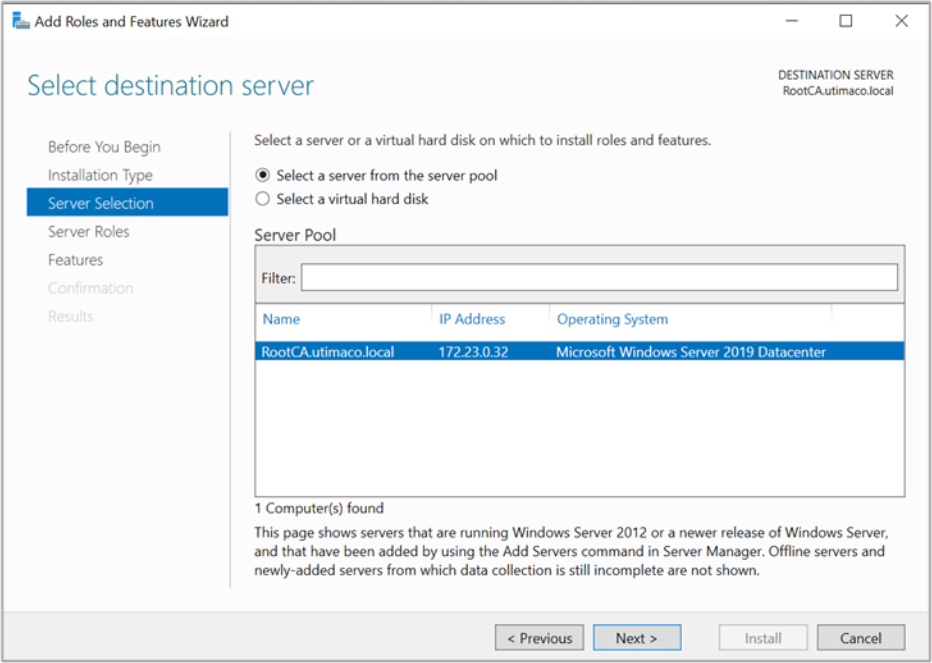
Figure 100: Select Destination Server window
-
Click Next
-
From the list of available features, select the Failover Clustering check box and click Next
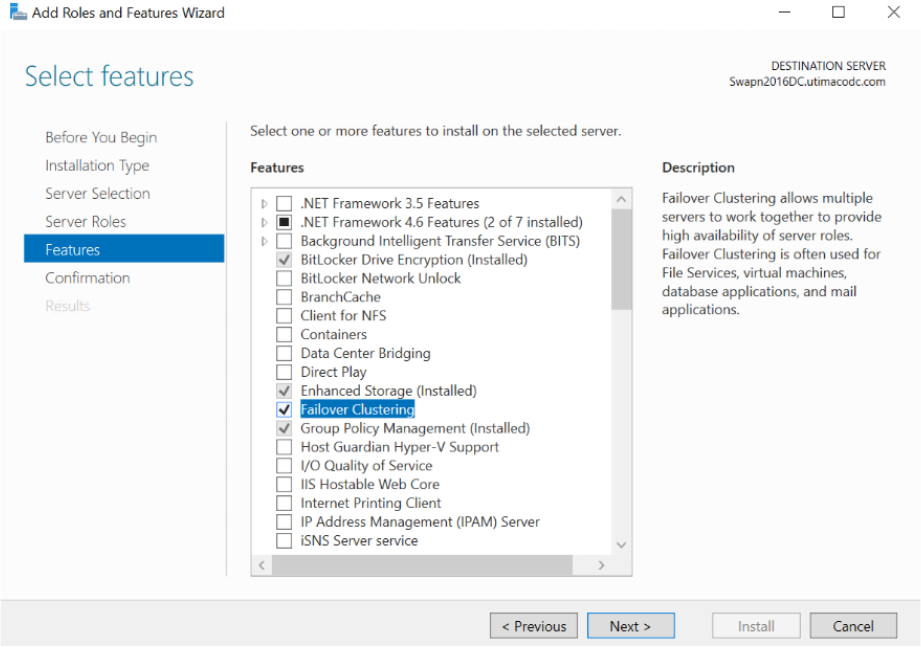
Figure 101: Select Features window
-
A pop-up display stating Add features that are required for Failover Clustering? To add a feature, click the Add Features button
-
Click Next
-
Click Install
-
Once Feature installation is complete, click Close