

In the ESKM, create or configure the Identity Provider for OCI.
-
In Device --> REST Server –> Advanced REST Settings select Edit.
-
Activate the Enable OCI HYOK checkbox.
-
Use
<ID_DOMAIN_URL>/admin/v1/SigningCert/jwkas the OCI HYOK JWKS URL. -
Set the OCI HYOK Issuer field as
identity.oraclecloud.com. -
Save.
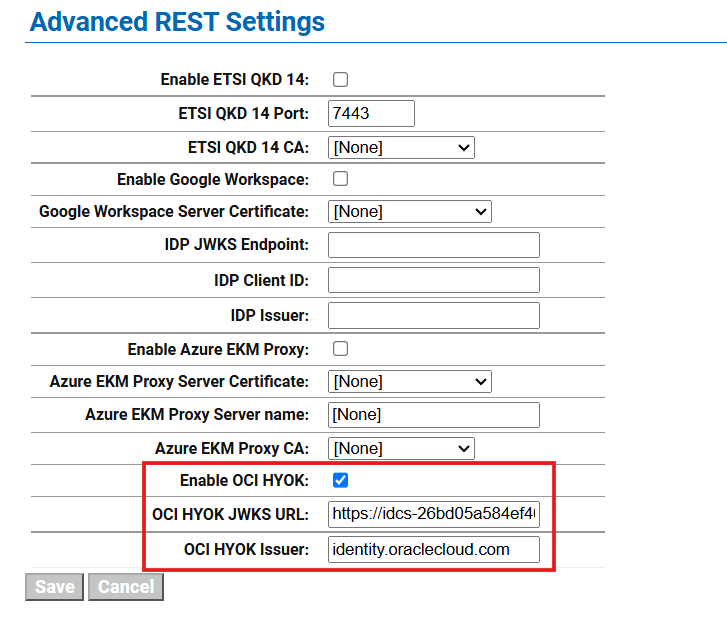
Enable OCI HYOK in the ESKM