

The Confidential Resource Application is used as the OAuth Resource Server for the HYOK integration.
-
In the OCI Console, go to Identity & Security > Domains.
-
Select the domain to be used for the integration.
-
Go to Integrated Applications.
-
Click Add Application.
-
Select Confidential Application.
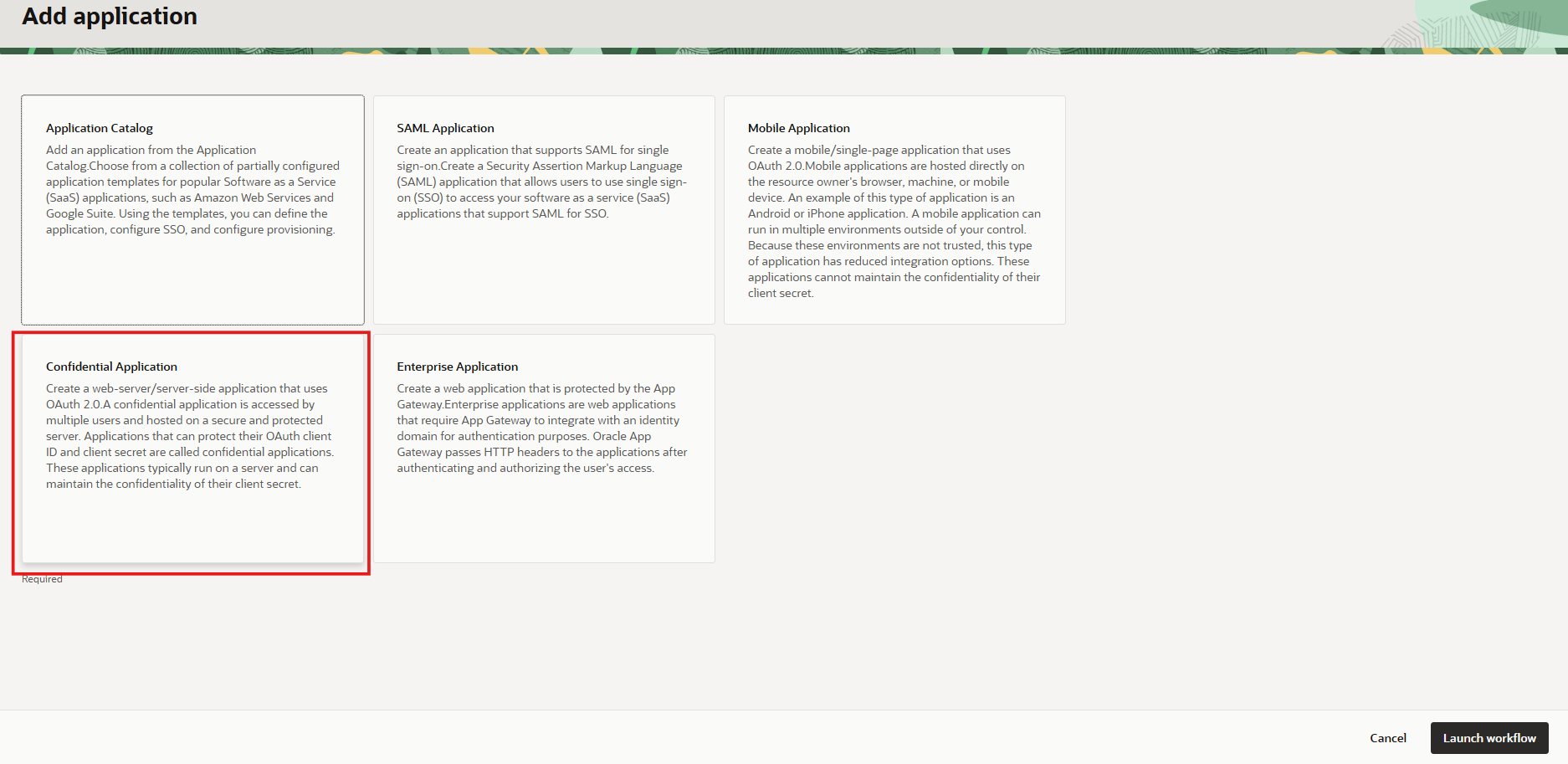
Add a Confidential Application
-
Click Launch workflow.
-
Enter the application name:
<RESOURCE_APP_NAME> -
Click Create.
-
Select the application and go to Actions → Activate.
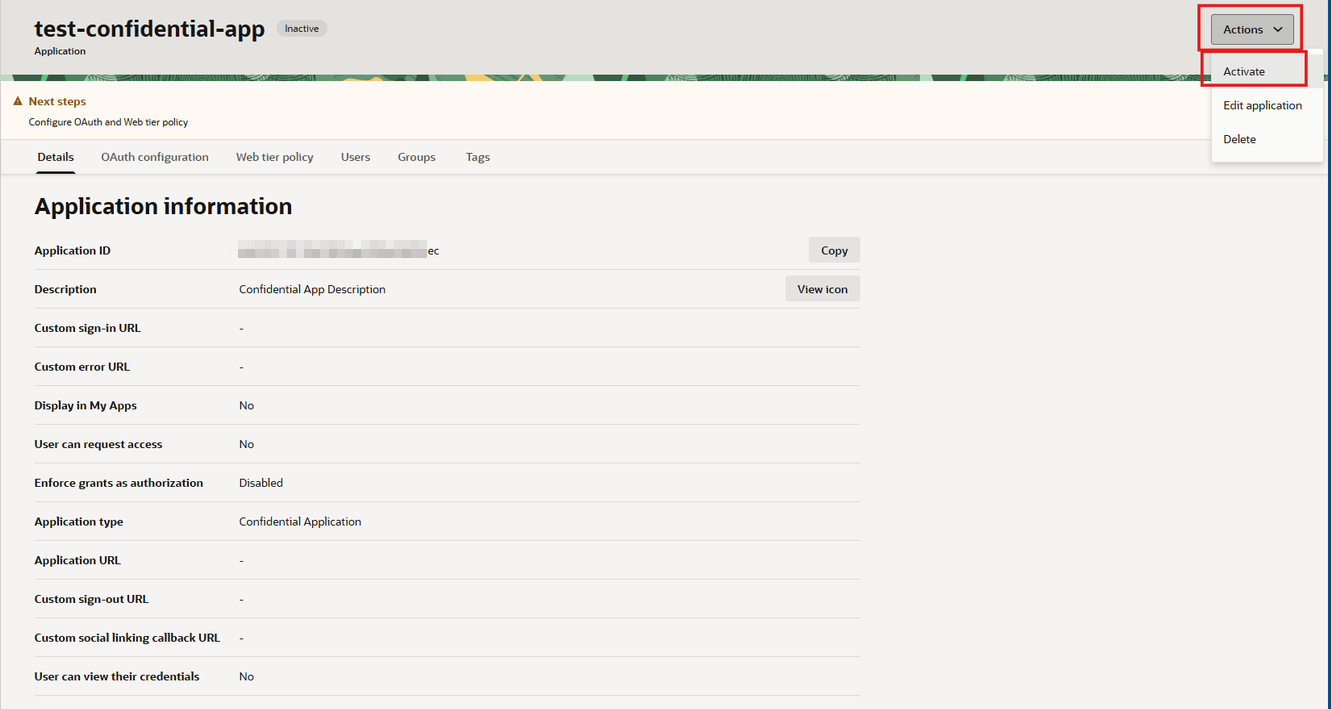
Activate the Confidential Application
-
Go to OAuth Configuration.
-
Click Edit OAuth Configuration.
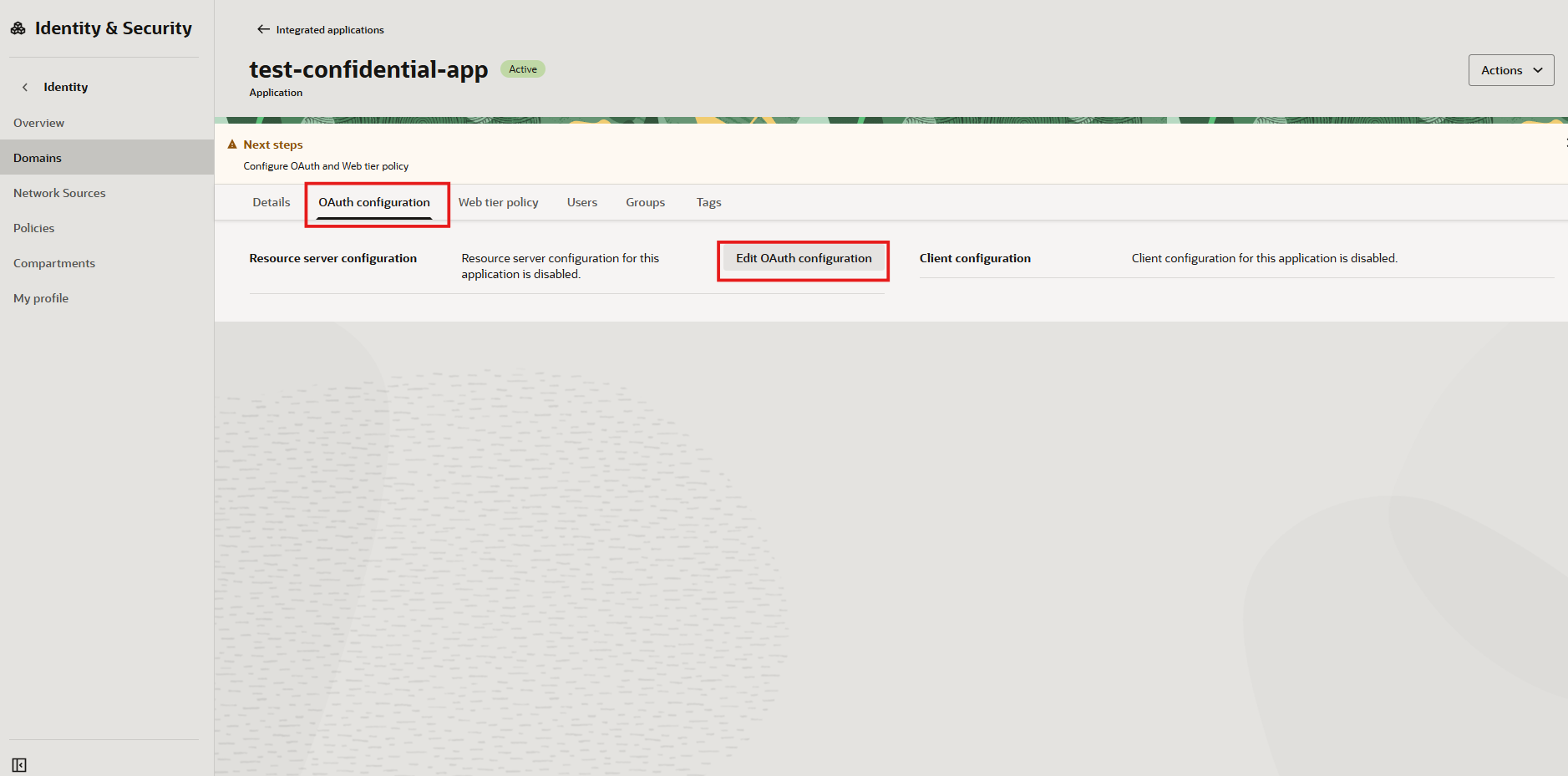
Edit OAuth configuration
-
Select Configure this Application as a Resource Server now.
-
Enter the public IP address that will access the ESKM resources as Primary Audience.
-
Activate the Add Scope and click Add.
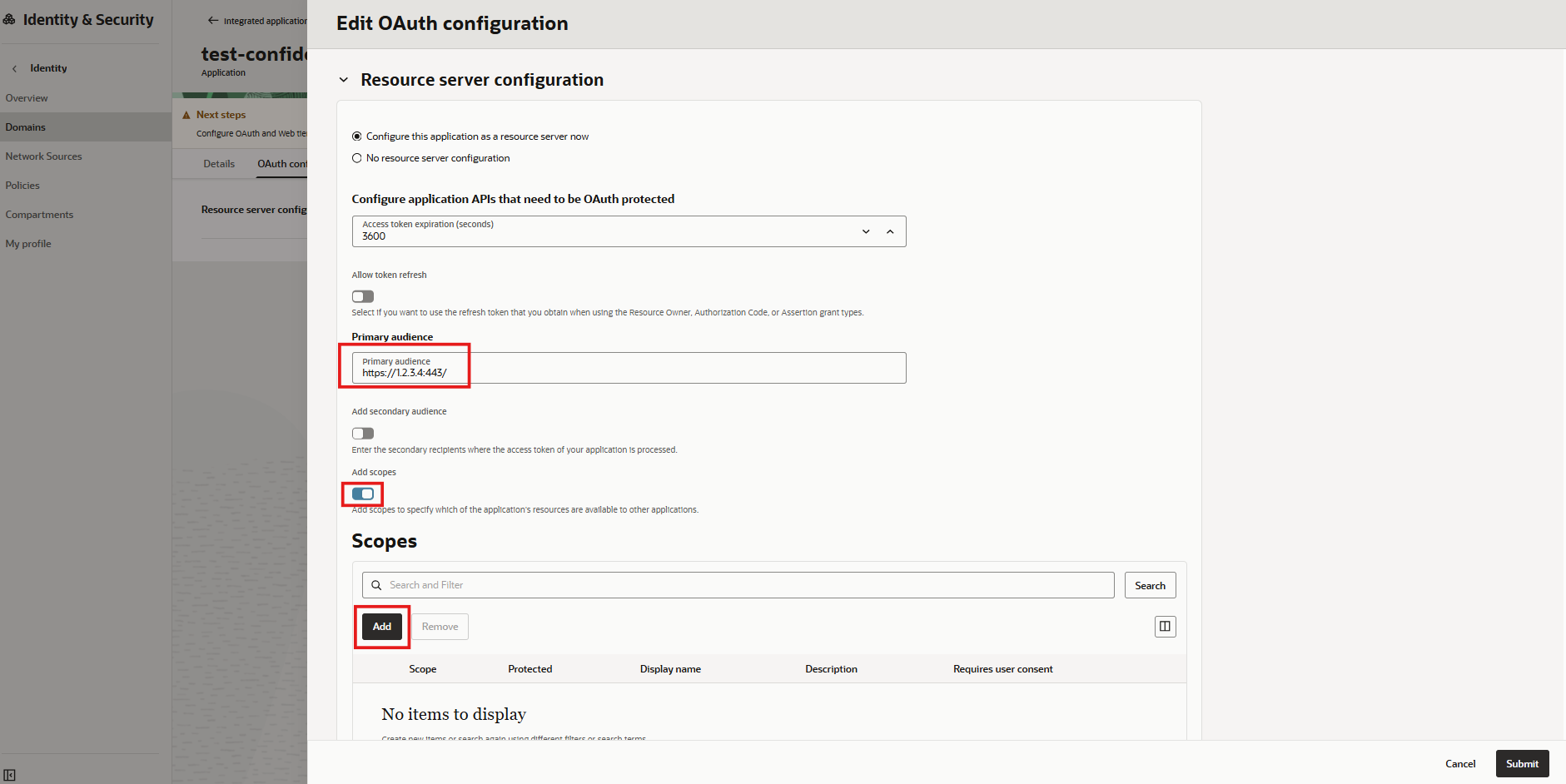
Resource Server Configuration
-
Insert the Scope and click Add.
-
Click Submit.
The Resource Server application and the Confidential Client Application can be the same application. if the same application is used, configure the Resource Server first so that the OAuth scope is available when configuring the client.