

The Private Endpoint provides the private connection between OCI and the external KMS.
-
In the OCI Console, go to Identity & Security → Private Endpoints.
-
Click Create Private Endpoint.

Create Private Endpoint
-
Enter the Private Endpoint name:
<EKMS_PRIVATE_ENDPOINT_NAME> -
Select the VCN created previously.
-
Select the required subnet.
-
Enter the external KMS destination:
<KMS_PRIVATE_IP/FQDN>
If the KMS has a private IP instead of a public IP, it will be necesary to configure a VPN / FastConnect. This configuration must be performed both in OCI and the KMS network.
-
Enter port 443, or the port configured for the ESKM service.
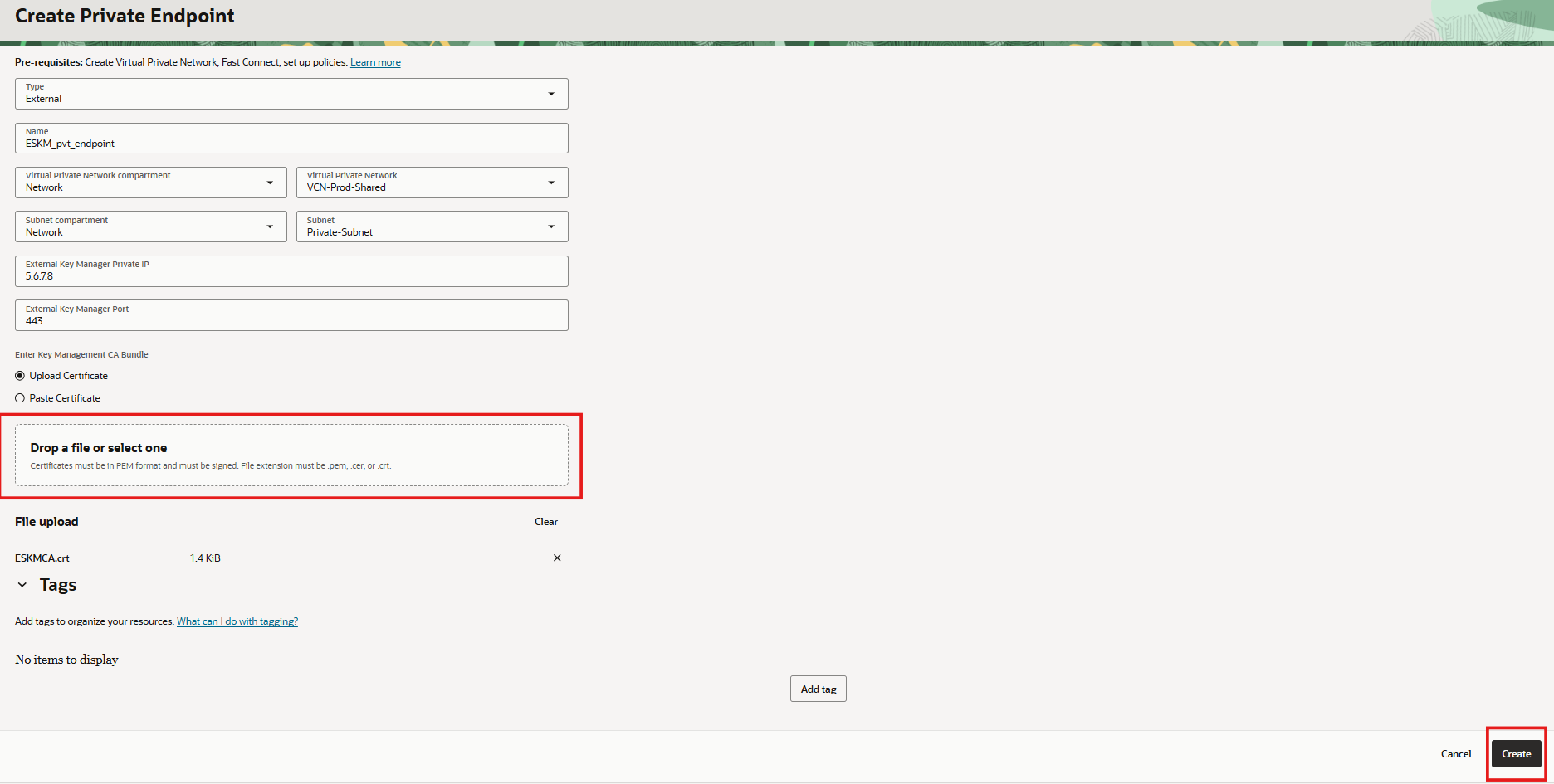
Create Private Endpoint parameters
-
Upload the CA bundle used to sign the ESKM’s service certificate:
<KMS_CA_BUNDLE>
-
Click Create.
-
Verify that the Private Endpoint is in the expected active state.