

The Confidential Client Application is used by the external KMS to authenticate with OCI.
If the Resource Server application and the Confidential Client Application are the same application, then move to step 5.
-
In Integrated Applications, click Add Application.
-
Select Confidential Application.
-
Enter the application name:
<CLIENT_APP_NAME> -
Select the application and go to Actions → Activate.
-
Go to OAuth Configuration.
-
Click Edit OAuth Configuration.
-
Select Configure this Application as a Client now.
-
Configure the application to use Client Credentials.
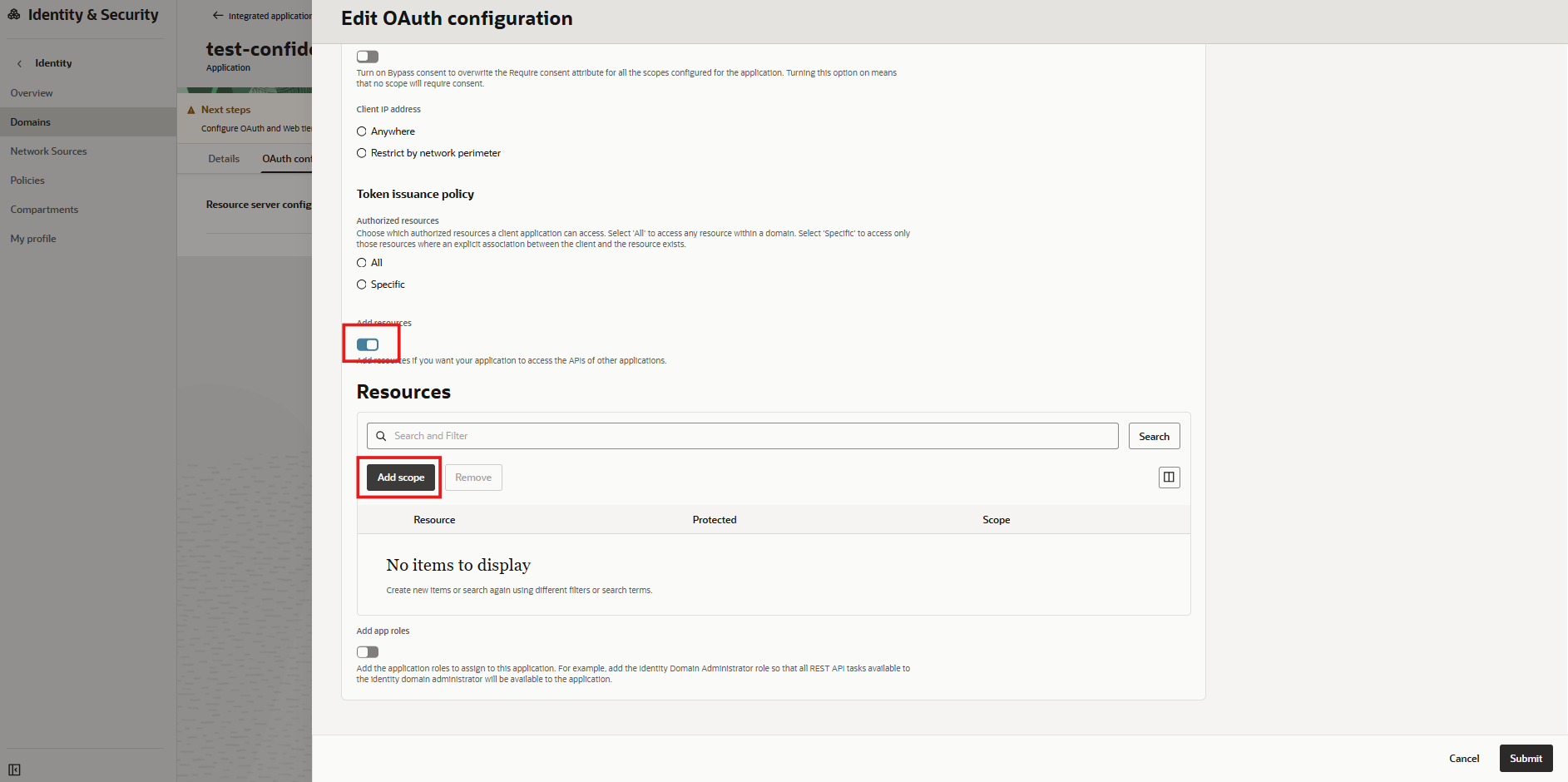
Add scope as a resource
-
Associate the application with the scope created for
<RESOURCE_APP_NAME>. -
Click Create.
-
Open the OAuth configuration.
-
Record the following values available in the General Information section:
-
Client ID
-
Client Secret
-
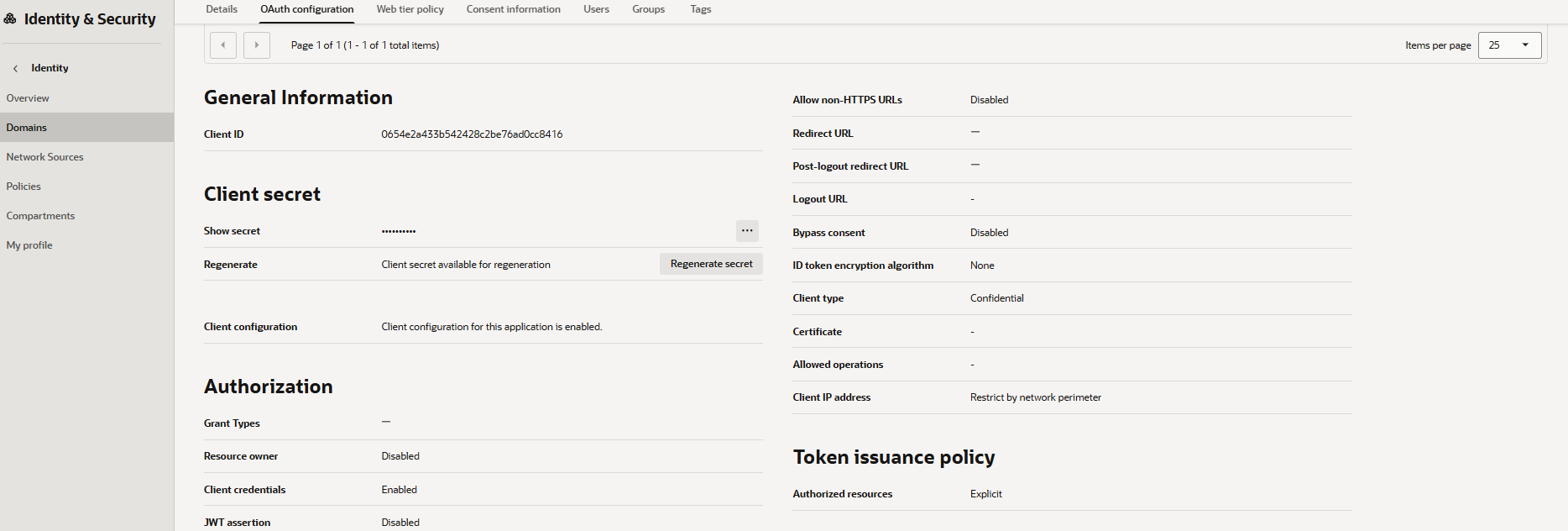
Client ID and Secret
Store the Client Secret securely. It is required later when configuring the external KMS.