

This section is only needed if the ESKM is inside a private network, if the ESKM has a public address configured this step shouldn’t be configured.
The Private Network configuration in OCI needs the stablishment of a Site-to-Site VPN in order to connect the OCI private network with the ESKM private network.
-
In the OCI Console, go to Networking → Customer-premises equipment.
-
Select Create CPE.
-
Insert the Name and select the Compartment.
-
Insert the Customer-premises public IP address.
-
Select the CPE Vendor and Platform/Version.
-
Create CPE.
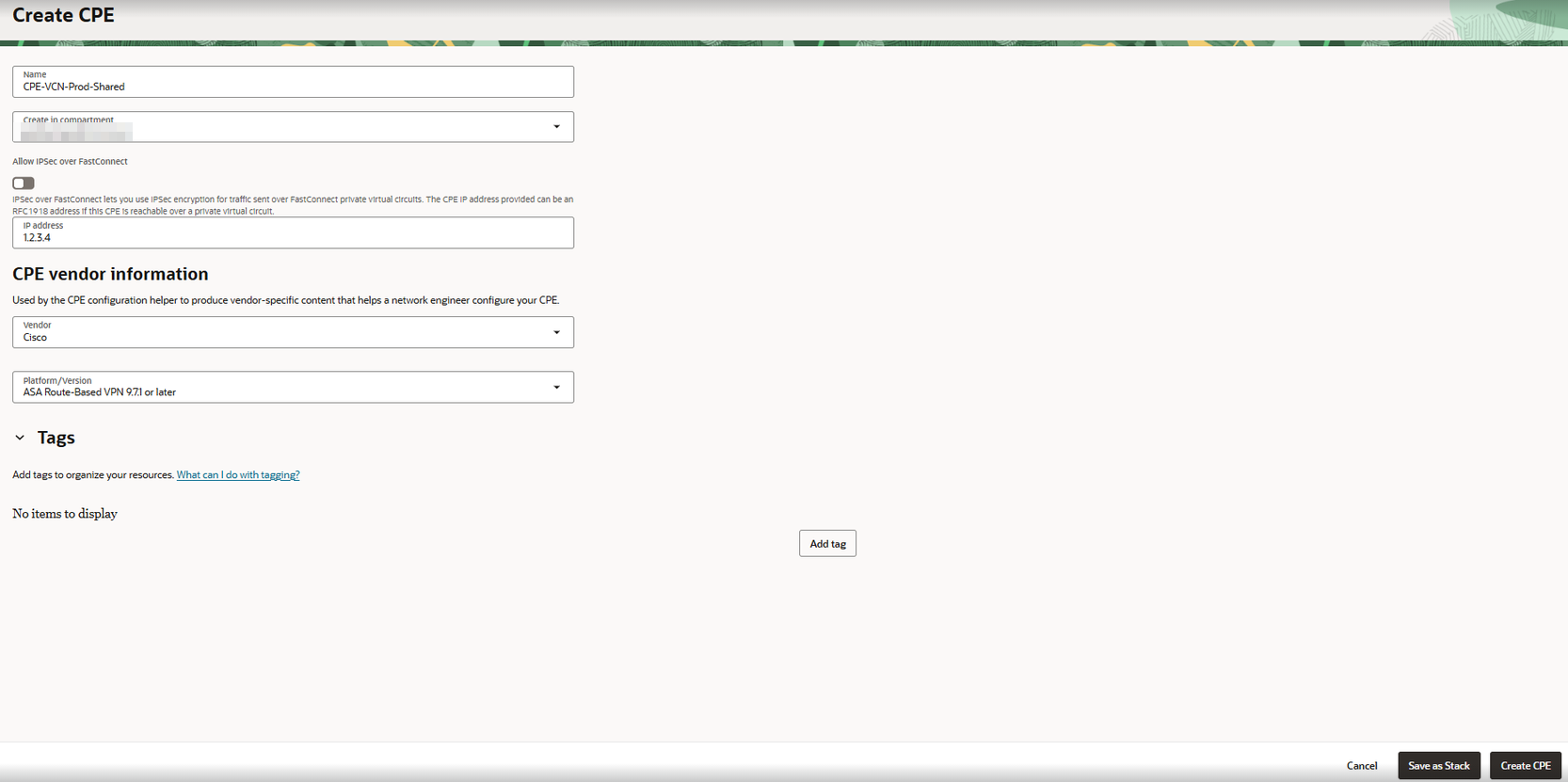
Create a CPE
-
Go to Networking → Site-to-Site VPN.
-
Create IPSec Connection.
-
Define the Name and select the Compartment, CPE and Network Dynamic Route Gateway created before.
-
Introduce
<IP_ADDRESS>/32as the static route to the on-premise network. -
Expand Tunnel 1 and select IKEv2 and Static Route.
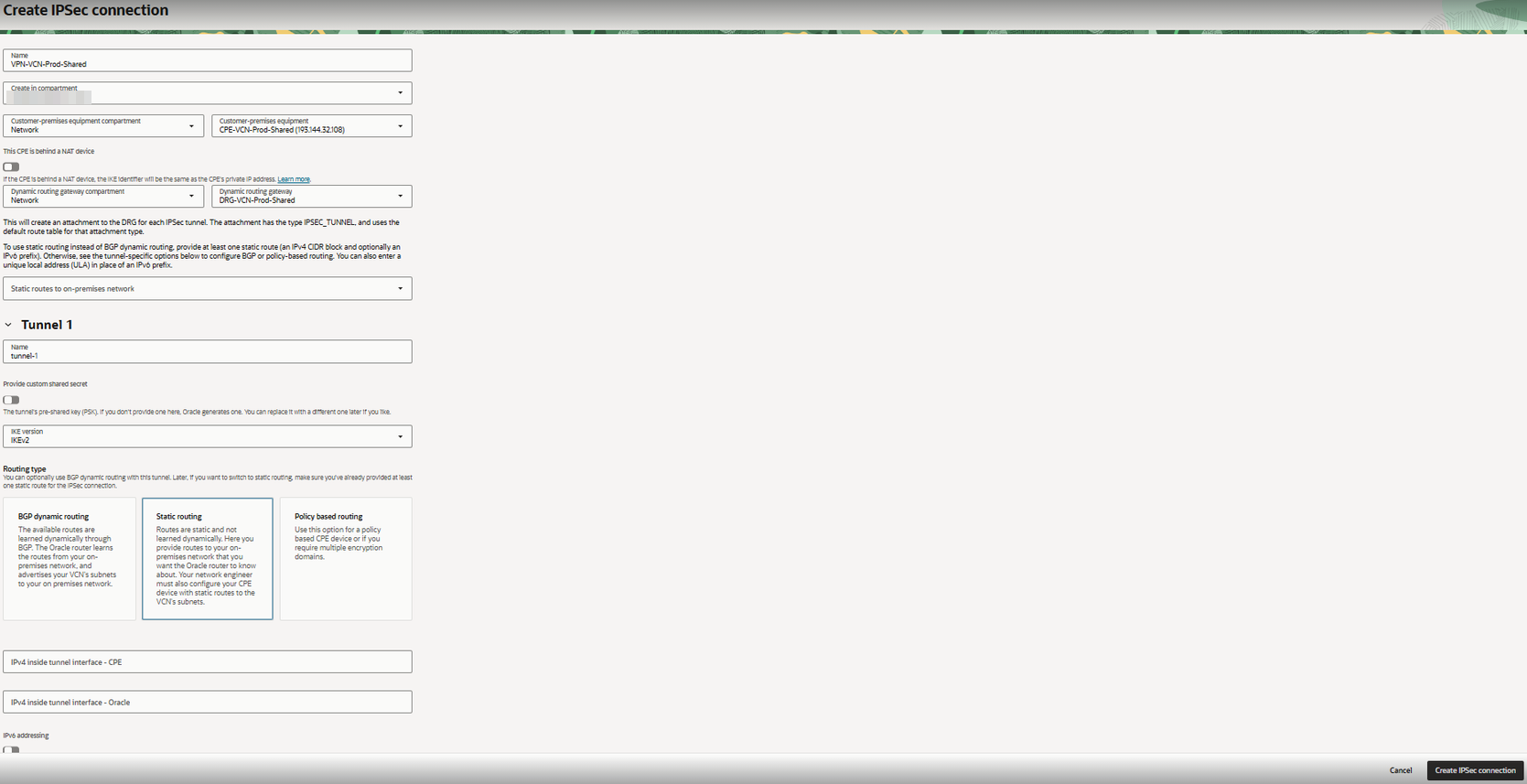
Create IPSec connection
-
Expand Tunnel 2 and select IKv2 and Static Routing.
To define the algorithms used in the IKEv2 phases, expand the advanced options and the desired phase. Some companies may have restrictions with the allowed algorithms.
-
Create IPSec Connection.
-
In the Site-to-Site VPN panel, select the created IPSec VPN panel, select the created IPSec Connection → Tunnels → tunnel-1.
-
Copy the Oracle VPN IP address and the Shared Secret.
-
Use these parameters to configure the ESKM network side.
The Site-to-Site VPN tunnels are commonly managed in the gateway’s firewall. If the ESKM environment’s firewall requires the modification of the algorithms or the session key lifetime, it can be done by selecting the Edit button, Advanced Options –> Phase One/Two → Set custom configurations.