

The HYOK integration requires a private network connection between OCI and the external KMS.
-
Log in to the OCI Console.
-
In the OCI Console, go to Networking → Virtual Cloud Networks.
-
Select the VCN to be used for the Private Endpoint.
-
Verify that the VCN has the required IPv4 CIDR configured.
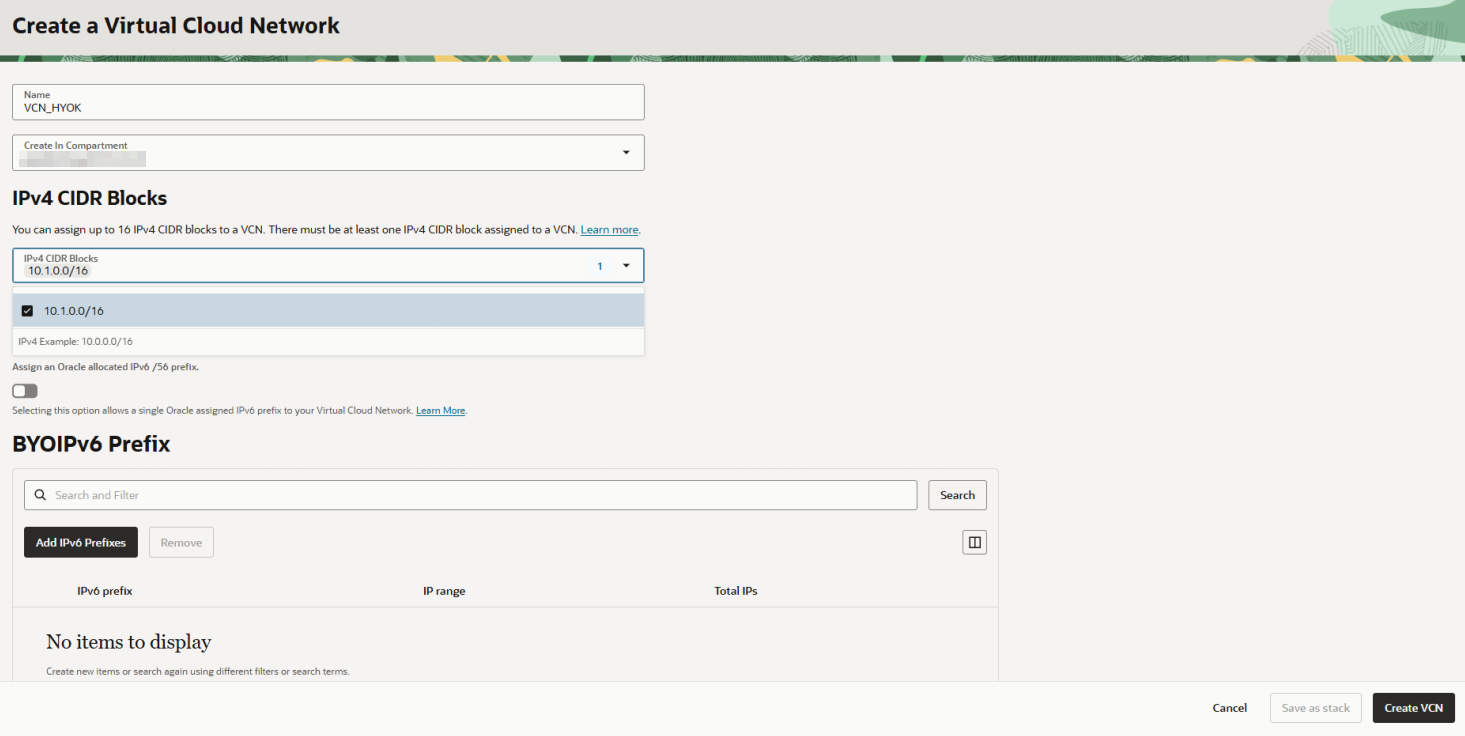
Create a Virtual Cloud Network
-
From the VCN, go to Subnets.
-
Click Create Subnet.
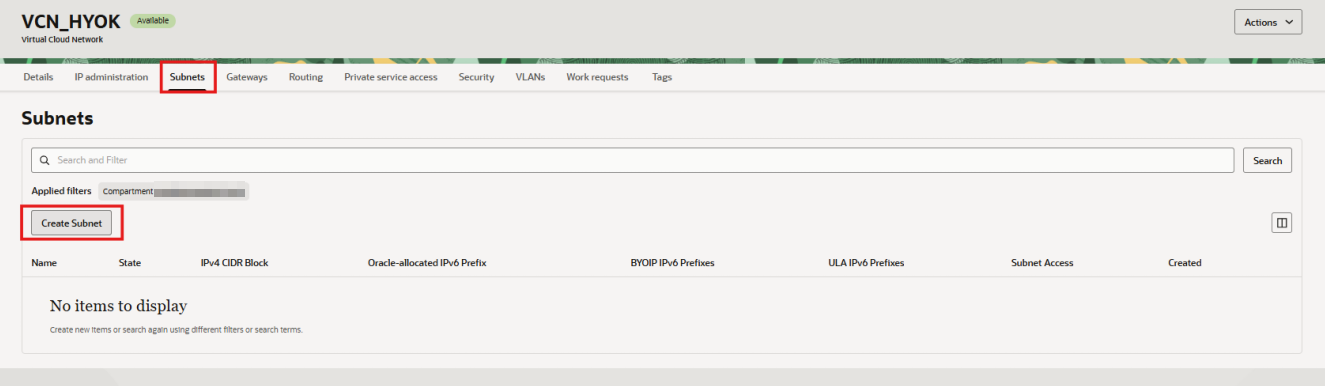
Subnets menu in VCN
-
Enter the subnet Name and Compartment.
-
Define the subnet CIDR within the VCN CIDR range.
-
Leave the remaining values at their default settings unless additional network configuration is required.
-
Click Create Subnet.
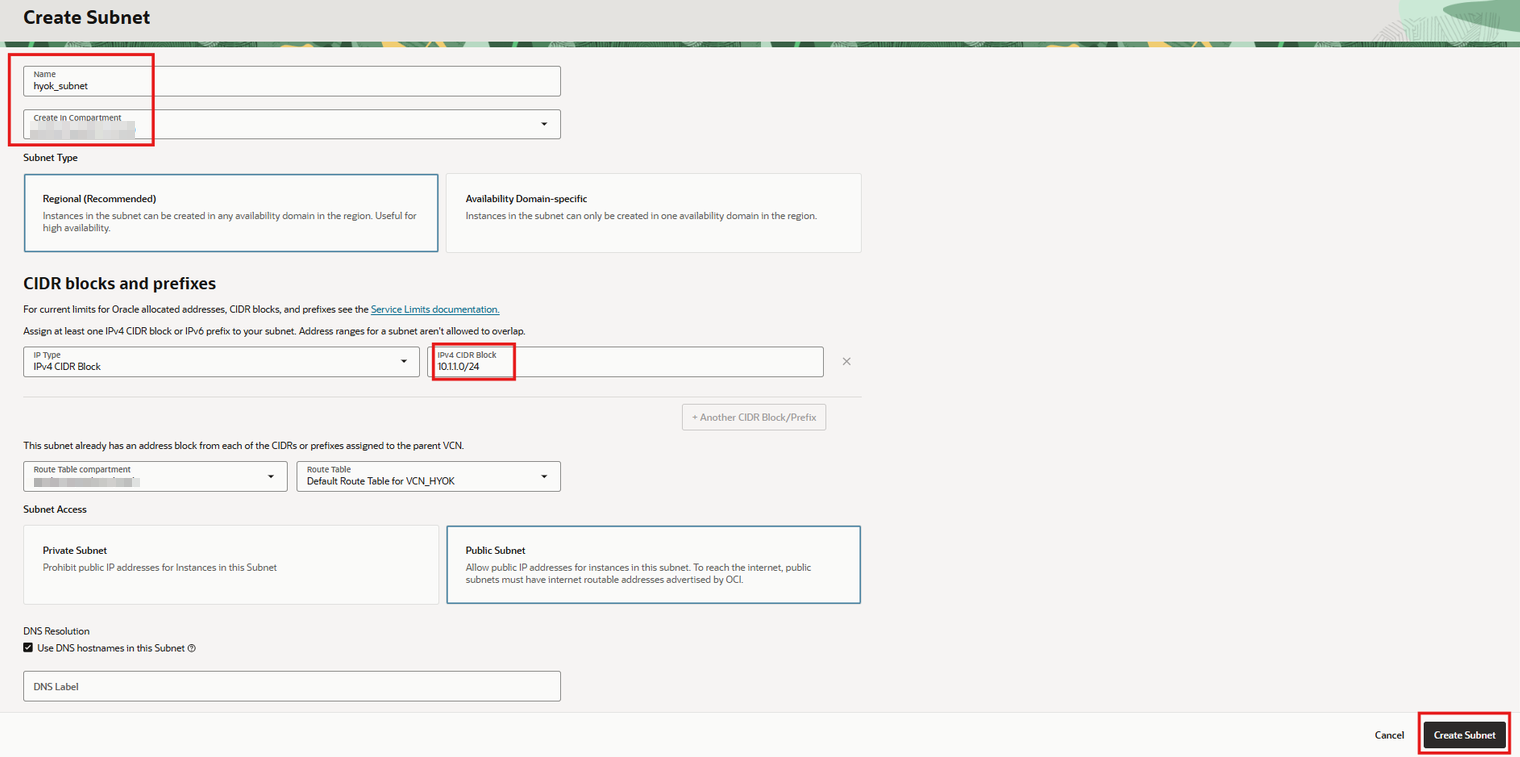
Create Subnet