

To add a token-decrypting certificate:
-
On the Start screen, type “AD FS Management” and press ENTER.
-
In the console tree, double-click Service, and click Certificates.
-
In the Actions pane, click the Add Token-Decrypting Certificate link.
-
In the Browse for Certificate file dialog box, navigate to the certificate file that you have created previously, the Token Decryption Certificate, and select the certificate file. Then, click Open.
If you are using Smartcard Authentication, the PIN Pad device will prompt to insert the Smartcard and enter the PIN. Then, press the OK button on the PIN Pad.
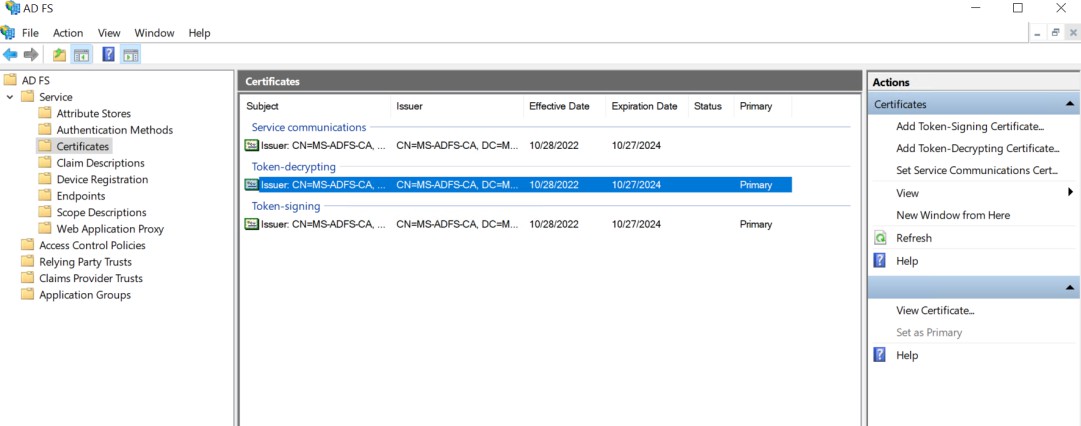
Add a token-decryption certificate